


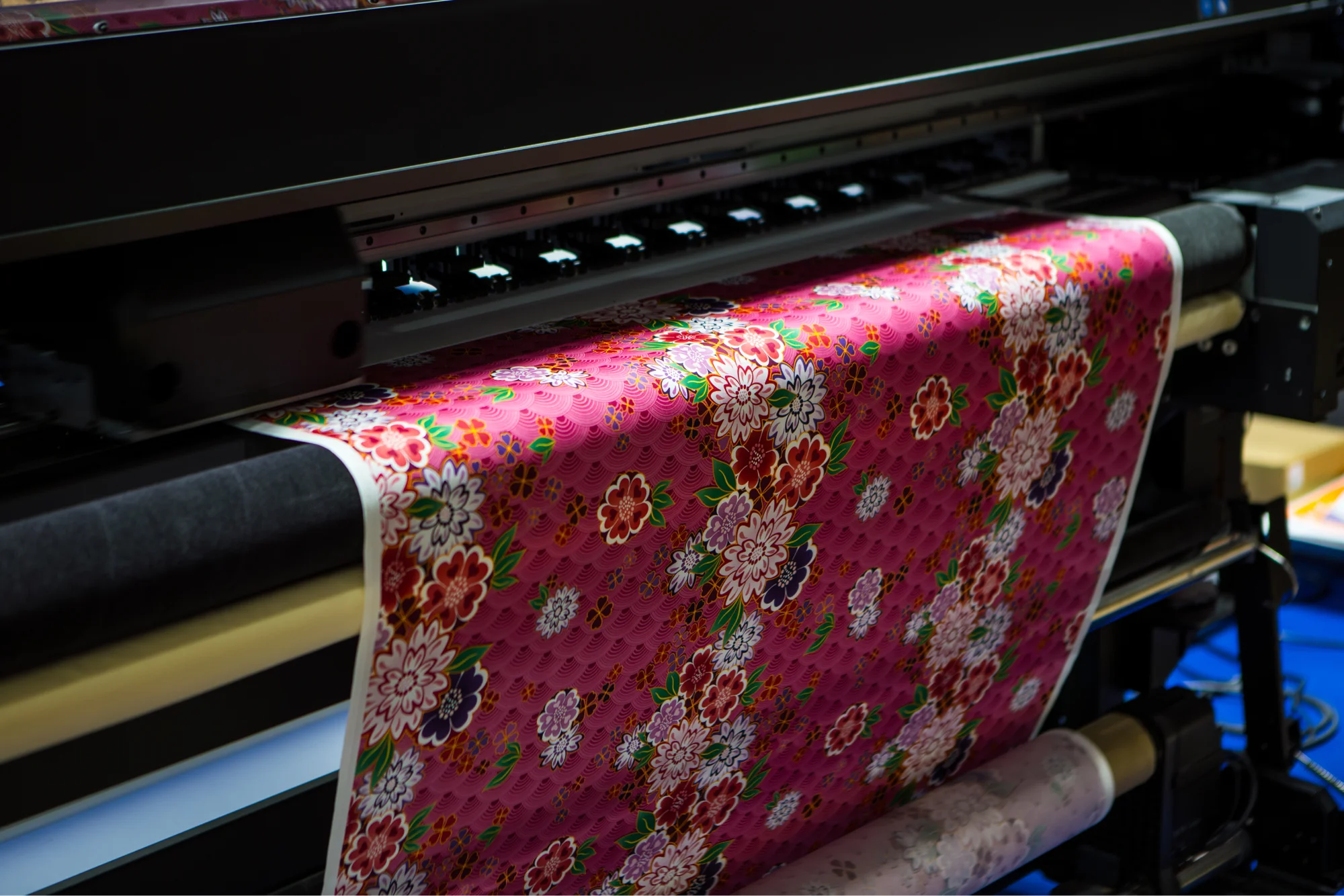
What is sublimation printing? It’s a digital printing process that uses heat to turn dye into gas, then bonds the design with polyester fibers or a coated surface, producing high-quality prints.
This guide covers the equipment, shirt limits, product ideas, the AOP connection, and how to use Printify to sell sublimation products with Print on Demand.
Key takeaways
- Best use – sublimation printing creates smooth, full-color designs on polyester or coated blanks.
- Equipment – DIY production needs a sublimation printer, sublimation ink, sublimation paper, and a heat press.
- Material limits – use light-colored materials, polyester fabric, other synthetic fabrics like polyester blends, or hard goods with a polyester coating.
- Shirt limits – sublimation printing works best on white or light polyester shirts; dark-colored blanks won’t hold the dye.
- Printify route – design products in the Catalog with our Product Creator, and let our providers handle production and shipping.
What is sublimation printing?
Sublimation printing is a digital printing process that uses heat and pressure to turn sublimation dye into a gas form, then bonds it with polyester fibers or a polymer-coated surface. The design becomes part of the surface material, so the final product has a smooth feel instead of a raised ink layer.
So, what does sublimation mean in printing? Heat activates the dye, pressure pushes it into the compatible surface, and cooling locks the image in place. This method allows for long-lasting designs – the images won’t crack or wear even after dozens of uses.
That physical reaction is why sublimation printing can produce vibrant, richly detailed images – but only on the right material. Natural fabrics like cotton don't take the dye the same way, especially in dark colors, where the design won't show at all.
How the sublimation printing process works

The sublimation printing process works in four steps: create the artwork, print it onto coated paper, press it onto the blank, and let the dye bond with the material.
Sublimation printing works only when everything lines up: compatible blank, sublimation ink, sublimation paper, accurate transfer paper placement, and the right heat press settings. If one part is off, the transfer process can shift the design, dull the colors, or leave you with wasted ink.
1. Create sublimation designs
Start with the product template. Full-coverage artwork, repeat patterns, photos, gradients, and bold illustrations suit sublimation designs because the method supports edge-to-edge color.
Use Canva, Photoshop, Illustrator, Procreate, or Printify’s Product Creator to create sublimation designs. For apparel, keep text away from seams, cuffs, and high-stretch areas.
2. Print with sublimation ink and sublimation paper
A dedicated printer prints a mirrored design onto sublimation paper. The paper holds the sublimation ink long enough for the transfer, then releases it during pressing.
DIY sellers need compatible dye sublimation inks, special transfer paper, and the right settings. High-quality sublimation ink supports better color consistency, while clogged heads, weak files, or incorrect profiles cause banding, muted color, and wasted ink.
3. Use a heat press or sublimation oven
Place the printed transfer paper against the blank, secure it, and press it with the right time, temperature, and pressure. A flat heat press handles apparel panels, tote panels, flags, and flat hard goods.
A mug press or sublimation oven handles curved items like tumblers and coffee mugs. The heat press process needs product-specific settings because fabric, coating, thickness, and shape affect the transfer process.
4. Let the dye bond with the blank
During heat transfer, the ink turns into a gas. Heat and pressure help the transfer dye enter polyester materials or a coated surface. As it cools, the sublimation dye bonds inside the material.
That’s how sublimation embeds the image. On the right blank, sublimation printing creates high-quality, long-lasting prints that resist cracking and peeling through multiple washes.
What do you need to start sublimation printing?

Sublimation printing requires specific tools. Regular paper, regular ink, and a bargain press won’t cut it.
Sublimation printer or dye sublimation printers
A dedicated sublimation printer uses sublimation ink from the start. Some makers convert an inkjet printer, but conversion requires compatible tanks, dye, print settings, and maintenance. Standard inkjet printers filled with regular ink won’t create true sublimation transfers.
Use dedicated dye sublimation printers if you plan to build a sublimation business and need predictable output.
Sublimation ink
Sublimation ink contains dye made for the sublimation process. Regular ink prints onto paper; sublimation dye activates during heat transfer and bonds with compatible blanks.
Sublimation paper or transfer paper
Sublimation paper carries the design from the printer to the blank. The coating controls how much dye stays on the sheet and how much is released during the transfer process. Choose transfer paper made for sublimation, not multipurpose craft paper.
Heat press or sublimation oven
A heat press applies heat and pressure evenly across flat areas. A sublimation oven heats curved blanks such as coffee mugs, tumblers, and drinkware.
Sublimation blanks
Sublimation blanks have polyester fibers or a polymer coating that accepts the dye. Choose white or pale blanks for the brightest color.
Can a regular printer print sublimation?
No. A regular printer lays ink on top of paper and leaves it there, so it can’t create true sublimation transfers. Use a dedicated sublimation printer or a compatible converted inkjet printer filled with sublimation ink.
Don’t swap between regular ink and sublimation ink casually. Conversion can cause clogs, color issues, warranty problems, and failed transfers.
What can you sublimate?
The best sublimation products use polyester fibers or a compatible coating. In our Catalog, you’ll find 2,000 customizable products, including AOP clothing, custom t-shirts, hoodies, drinkware, accessories, home decor, and more.
Here’s where sublimation works best:
- Apparel – sublimation shirts, polyester t-shirts, leggings, socks, swimwear, custom hoodies, dresses, and performance-style t-shirts.
- Custom drinkware – coffee mugs, tumblers, bottles, and other coated drinkware.
- Desk and gaming products – mouse pads, desk mats, laptop sleeves, and selected accessories.
- Home decor – blankets, pillows, curtains, wall decor, flags, and seasonal items.
- Small gifts – phone cases, ornaments, coasters, keychains, patches, and personalized accessories.
Dye sublimation requires light-colored materials because there’s no white ink in the standard process. White areas are inherent to the product itself, and dark blanks can mute or hide the artwork.
Sublimation works through the blank’s fiber or coating, so pick the product first. Each blank has its own print template and safe area, and your artwork needs to fit that shape from the start.
For a starter collection, pair one apparel item with one giftable product, like socks or coffee mugs, so shoppers can buy at different price points without leaving your theme.
What is sublimation printing on shirts?

Sublimation shirt printing dyes the fibers of compatible shirts, usually white or light polyester. Use it for all-over graphics, photo prints, patterns, sportswear, leggings, socks, and performance-style apparel.
Choose polyester t-shirts, sublimation shirts, or high-polyester blends when the design needs edge-to-edge color.
Quick tip
Since sublimation won’t bond to natural fibers, cotton shirts need a different method, like direct-to-garment, direct-to-film, screen printing, or heat-transfer vinyl.
Full-shirt placements can show pale gaps near seams, folds, armpits, or areas outside the press contact. Repeating patterns, looser artwork near seams, and cut-and-sew products make those production quirks less noticeable.
Is AOP the same as sublimation printing?
No. AOP means all-over print, which refers to coverage across the product. Dye sublimation names the printing process that transfers the design. In Printify’s Catalog, AOP products often use the dye sublimation process, which is why the terms appear together.
Use AOP when you want the design across the whole garment or product. Use the word sublimation when you talk about ink, paper, equipment, and the actual transfer process.
Sublimation printing pros and cons
Before choosing sublimation printing, check where it performs best and where it falls short. The method gives sellers smooth, full-color results on the right blanks, but the product material, base color, artwork, and equipment decide whether the final item looks ready to sell.
Sublimation printing pros

Smooth finish – the dye bonds with the blank instead of sitting as a thick layer.
Full-color artwork – photos, gradients, patterns, and large graphics keep their detail edge-to-edge.
All-over placement – shirts, leggings, socks, and home decor can carry edge-to-edge designs.
Durability – compatible blanks keep prints from cracking or peeling.
No inventory with Printify – test products through Print on Demand before ordering in volume or starting a full-blown business.
Sublimation printing cons

Material limits – the method needs polyester or coated blanks.
No white ink – white areas come from the blank itself.
Dark bases mute color – black or dark products usually hide the design.
White creasing – AOP apparel may show unprinted folds or seam areas.
Equipment cost – DIY sellers need a sublimation printer, transfer paper, ink, blanks, and a heat press.
File discipline – low-resolution artwork reduces print quality.
Sublimation printing vs screen printing, DTG, and vinyl
Screen printing, sublimation, DTG, DTF, and heat-transfer vinyl are the printing methods most sellers compare before picking a product.
The answer depends on fabric, color count, order size, design detail, and print area.
Method | Choose it for | Main limit |
|---|---|---|
Sublimation printing | Full-color designs on light polyester or coated goods | Poor fit for dark cotton |
Screen printing | Bulk apparel with simple, solid-color graphics | Needs a separate physical screen for each color |
DTG | Detailed designs on cotton apparel | Not built for coated hard goods |
DTF | Colorful designs across many garment types | Transfer sits on top of the fabric |
Heat transfer vinyl | Names, numbers, logos, and small batches | Complex designs take longer to cut and weed |
When comparing printing methods, start with the blank:
- Polyester or coated products + sublimation printing
- Larger apparel runs with simple artwork + screen printing
- Cotton apparel with detailed graphics + DTG printing
- Cotton, dark colors, polyester, and blends + DTF printing
Unlike traditional printing methods, sublimation uses heat to push dye into polyester fibers or a coated surface. Screen printing works by pushing ink through a stencil onto the product. Other printing methods may serve cotton, dark fabrics, textured finishes, or short runs better.
Printify offers different types of shirt printing for different products, fabrics, designs, and order goals. Choose the method that fits your business model before you build the product page.
How to make sublimation designs with Printify
Start with the product, not the artwork. A wraparound mug, a sock, and an AOP hoodie all need different files.
Use the Printify Product Creator or your preferred design tool, then follow the product template. Printify supports JPEG, PNG, and SVG files, and recommends 300 DPI for JPEG and PNG whenever possible. Large products may allow 120-150 DPI depending on the item.
For AOP products, cover 100% of the bleed area and keep important text or faces inside the safe area. Small placement shifts can happen between the mockup and production, so avoid designs that depend on perfect centering across seams.
Before publishing:
- Download the product template from the Product Creator
- Use RGB for artwork colors
- Keep text away from seams and edges
- Fill the bleed area on AOP products
- Preview every side and size variant
- Order a sample when selling apparel with full-coverage art
For file setup details, use Printify’s design guide before uploading.
How to sell sublimation products with Print on Demand
With Printify and Print on Demand, you don’t need to buy dye sublimation printers, store sublimation blanks, test sublimation paper, or run a heat press at home.
Create the product, publish it, and the Print Provider handles production after the order arrives.
1. Sign up for Printify
Create a free Printify account and open the dashboard. From there, you can access the Catalog, Product Creator, store integrations, pricing tools, and product templates.
2. Choose a sublimation product
Open the Catalog and choose AOP apparel, drinkware, accessories, or home decor. Start with one category so your store has a focused theme.
For example, build around AOP shirts, coffee mugs, socks, or home decor before adding unrelated products.
3. Design the product
Upload your artwork in the Product Creator, adjust placement, and preview every side. For AOP products, fill the bleed area and keep important details inside the safe area. This protects faces, logos, and text from awkward cuts near seams or edges.
4. Order samples
Order samples before promoting the product. Check color, fabric feel, placement, sizing, seams, packaging, and the finished print quality. For sublimation printing, samples help you see how the design behaves on the actual blank, not only on the mockup.
5. Connect your store
Connect Shopify, Etsy, TikTok Shop, WooCommerce, Wix, eBay, or another supported sales channel through our one-click integrations. Printify also offers a Pop-Up Store for sellers who want a storefront without paying a dime in platform fees.
6. Publish and market
Set your price, write the product description, publish, and promote the listing with product SEO, short videos, email, Pinterest, or niche social content. Use customer questions, returns, reviews, and sales data to improve the next product.
FAQ
Start selling sublimation products with Printify
Sublimation printing gives you smooth, full-color designs on the right blanks: white polyester apparel, coated drinkware, accessories, and home decor. Choose the product before designing, check the template, fill the bleed, and order a sample before promoting.
Printify lets you create sublimation products without buying equipment, storing blanks, or handling fulfillment. Open the Catalog, pick a product category, create a design, publish it to your store, and start selling your ideas to the world.
