Turn followers into customers
TikTok analytics shows you how your videos perform, who’s watching them, and what’s driving results. Building a brand or selling through TikTok Shop? Tracking the right data is key to growing faster.
This guide covers everything from built-in metrics to third-party tools – so you can turn your TikTok data into smarter content and more sales.
TikTok analytics: An overview
TikTok analytics is a built-in toolset that tracks how your content performs across reach, engagement, retention, and conversions. It helps creators, small businesses, and eCommerce brands understand what’s driving growth, which videos resonate, and where to improve.
Available for both Creator and Business accounts, TikTok analytics measures key performance indicators such as:
- Video views – Total plays your video received.
- Average watch time – How long people watched.
- Follower activity – When your audience is online.
- Profile visits – Clicks to your profile.
- Engagement rate – Interactions per view or follower.
- Video completion rate – % of viewers who watched to the end.
- Audience demographics – Age, gender, and location data.
- Top-performing content – Your best videos by performance.
- Traffic sources – Where viewers found your video.
All of this can be viewed by a selected date range.
TikTok analytics removes the guesswork, helping you create content and marketing that actually drives sales or builds a loyal following – especially when selling with TikTok Shop.
How to access TikTok analytics

You can access TikTok analytics directly from the TikTok app, but you’ll need a Creator or Business account. Once that’s set up, follow these steps to see your analytics:
Step-by-step: How to check TikTok analytics
- Open the TikTok app and go to your profile.
- Tap the Menu icon (☰) in the top-right corner.
- Select Creator tools from the list.
- Tap Analytics.
From here, you’ll see four main sections:
- Overview tab – Total views, followers, and profile activity.
- Content tab – Top video posts, video views, watch time, and trends.
- Followers tab – Demographics, follower activity, and top territories.
- LIVE tab (if applicable) – Live video stats like viewer count and engagement.
TikTok analytics lets you filter results by a selected date range, so you can compare performance over time.
To dig deeper – especially into conversion metrics – link your TikTok Business Suite or use TikTok Ads Manager for more detailed reporting.
What are the key TikTok metrics to track?

TikTok analytics data is grouped into five categories:
- Reach – How many people saw your TikTok posts, and where they found them.
- Engagement – How viewers interacted with your content (likes, comments, shares).
- Retention – How long people watched your videos and whether they finished them.
- Audience – Who your viewers are and when they’re most active.
- Conversions – Actions that lead to business results (clicks, sales, or Shop orders)
Each one reveals different performance insights to guide your content and business strategy.
1. Reach and visibility metrics
- Video views – Total times your video has been watched.
- Profile visits – How often TikTok users checked out your profile.
- Impressions – How many users had your video appear in their feed.
- Traffic sources – Where your views came from (e.g., For You page, profile, hashtags).
2. Engagement metrics
- Likes, comments, shares – The core signals of viewer interest.
- Engagement rate – Interactions divided by views or follower count.
- Saves – Content that’s worth revisiting often drives more reach.
3. Retention and watch metrics
- Average watch time – The longer people watch, the better your video performs.
- Video completion rate – High percentages signal strong content.
- Replays – A sign that your video caught attention.
4. Audience and follower growth
- Follower activity – When your audience is online.
- Follower growth – Track changes in follower count over time.
- Audience demographics – Understand who’s watching (age, gender, location).
5. Conversions and sales impact
- Click-through rate (CTR) – How often users click your link or CTA.
- TikTok Shop orders – Track which videos are turning views into sales.
- Website visits – Measure interest beyond the platform.
What are advanced TikTok analytics?

Advanced TikTok analytics help you go beyond the basics – offering deeper, customizable insights into your content, audience, and conversions.
While TikTok’s native analytics dashboard covers the essentials, many creators and businesses use third-party platforms for richer data and cross-account comparisons.
Below are four top-performing third-party TikTok analytics tools – each with unique strengths. There are many others worth exploring, but these give a strong starting point:
1. Analisa.io
A popular AI-powered analytics tool for TikTok and Instagram.
- Offers historical data and performance tracking for any public profile.
- Tracks hashtag performance, follower growth, and engagement over time.
- Great for competitive benchmarking and influencer audits.
2. Exolyt
Built specifically for TikTok, Exolyt helps you analyze your profile or keep an eye on competitors.
- Get insights on viewer ranking, trending content, and follower growth.
- Compare your performance with industry peers.
- Visualize TikTok campaigns and content trends over a custom date range.
3. Socialinsider
An all-in-one social media management tool with TikTok analytics support.
- Cross-platform data tracking (TikTok, Instagram, Facebook, LinkedIn).
- Measures engagement metrics, reach, and click-through rate (CTR).
- Great for agencies and brands managing multiple accounts.
4. Popsters
A lightweight but powerful visual tool for tracking TikTok posts.
- Quick analytics for video performance and audience engagement.
- Helps you compare formats, hashtags, and time of posting.
- Ideal for creators who want simple, visual analytics data.
Third-party tools often unlock detailed analytics, downloadable reports, and a deeper understanding of what drives performance – especially useful for running ads and tracking ROI from TikTok campaigns.
How to use TikTok analytics to improve performance?

TikTok analytics shows you what to do next. Here’s how to use your data to create stronger content, connect with the right audience, and grow your print-on-demand business.
1. Identify patterns in high-performing videos
Start with your top-performing content in the Content tab. Look at videos with a high engagement rate, strong average watch time, and repeat views.
What do they have in common?
- Are you using a trending sound?
- Is the format short and punchy?
- Does the video highlight a best-selling product?
Once you spot what’s working, replicate that style across future TikTok posts. You don’t need to copy it exactly – just double down on the core elements. That might be a three-second hook, a type of product, or a content theme (like unboxings, tutorials, or trends).
2. Adjust your posting times and frequency
Check the Followers tab in your analytics to see when your audience is most active. Posting during those peak windows helps boost visibility and video views without relying on paid reach.
If your videos aren’t getting traction, it might be a timing issue – not the content itself. TikTok’s algorithm favors consistency, so create a schedule based on your follower activity. Even posting two to three times per week can improve performance if it aligns with when your audience is online.
Use a custom date range to compare post performance across different time slots.
This also helps you track improvements after making scheduling changes – especially if you’re trying to grow engagement metrics or video retention.
3. Experiment with new content formats
Use TikTok analytics to test what types of videos your audience prefers.
Compare different styles – like tutorials, duets, behind-the-scenes content, or influencer-style videos – and monitor their video performance over a selected date range.
Look for shifts in:
- Average watch time
- Video completion rate
- Follower growth
- Click-through rate
Once you have a few clear winners, lean into them while continuing to test new ideas. For example, if tutorials outperform trends, try explainers or quick how-tos related to your niche.
4. Refine your hashtag and sound strategy
In TikTok’s fast-moving ecosystem, hashtags and audio trends shift daily. Instead of guessing which tags to use, review your analytics to see which ones contributed to top-performing videos.
You can also use tools like the TikTok Creative Center to identify hashtags and sounds gaining traction. Then, test these across multiple posts and monitor their impact on reach, engagement, and retention.
Don’t chase every trend – use your analytics data to find what works for your audience.
If you notice specific hashtags regularly drive more profile visits or longer watch time, include them in your core strategy.
5. Focus on the first 3 seconds
TikTok counts a view after just three seconds, and the algorithm uses that early engagement to decide how widely to show your video. Use analytics to measure how many viewers make it past that threshold – especially by checking average watch time and video completion rate.
- Videos with high drop-off in the first three seconds may need stronger hooks or quicker intros.
- Content that keeps users watching past the halfway mark usually performs better across the board.
Try opening with a surprising visual, a bold statement, or an emotional pull. Then, use analytics to validate which approaches keep people watching – and which don’t. Your goal isn’t just to get views – it’s to hold attention, drive action, and increase TikTok Shop orders.
Start a TikTok Shop with Printify
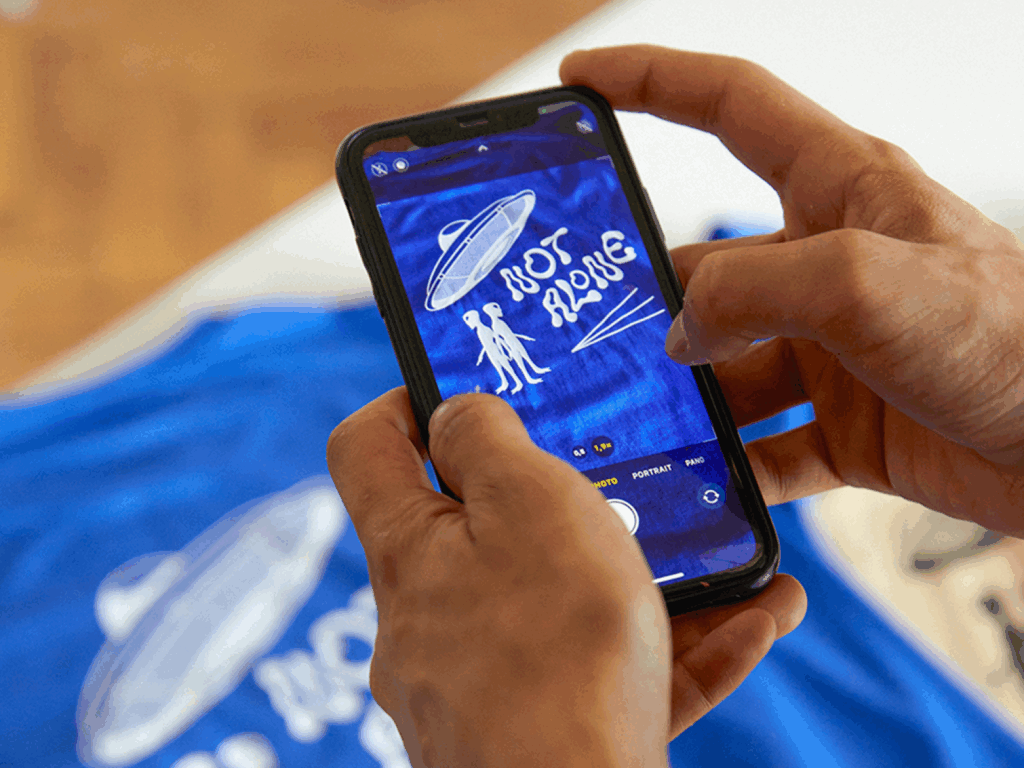
Print on Demand (POD) is the easiest way to sell on TikTok – no inventory, no upfront costs. You create designs, and Printify takes care of the printing, packing, and shipping. Connect Printify to add products to your TikTok Shop, and it becomes a powerful way to turn content into sales.
Why Printify?
Printify connects creators with over 1,300 bestselling merch, giving you fast fulfillment, competitive pricing, and a global shipping range. Our integration with TikTok Shop makes it easy to start selling merch directly on one of the world’s fastest-growing platforms.
Here’s how to launch your TikTok product business in four easy steps:
1. Pick a product
Explore the Printify Catalog and select something your audience will love – such as t-shirts, hoodies, mugs, home decor, and posters.
2. Add your design
Use our built-in Product Creator design tools or upload your own art. You control the look, price, and product description.
3. Connect to TikTok Shop
Use our TikTok Shop integration to link your Printify store. Products sync automatically, and orders flow straight to fulfillment.
4. Sell to TikTok customers
Promote your products using videos, trends, and TikTok Shop ads. When someone buys through your TikTok Shop, our network automatically fulfills the order and ships it directly to your customer.
FAQ
To access analytics, go to your TikTok profile, tap the Menu icon (☰), and select Creator tools > Analytics. This opens your dashboard for native TikTok metrics, including video views, audience activity, and traffic sources. You can also upgrade to a TikTok business account for more in-depth video analytics and content metrics.
TrendTok offers both free and paid versions. The free plan includes basic trend discovery and audience targeting tools. For more advanced features, such as competitor tracking, performance metrics, and automated reporting processes, users must upgrade to a paid plan. It’s one of several third-party tools that offer deeper insights beyond native TikTok analytics.
No. TikTok analytics is only available to Creator and Business accounts. If you’re using a personal account, you’ll need to switch in your settings. After posting at least one video, you can access analytics, including key metrics like engagement rate, follower growth, and video views.
If you’re unable to access analytics on TikTok, it could be due to using a personal account, a lack of recent posting activity, or a delay in data availability. Switch to a TikTok Business account or Creator profile, then post content to unlock native TikTok metrics and performance data.
You don’t need a minimum follower count to access TikTok analytics, but you must switch to a Creator or Business profile and publish at least one video. After that, you’ll see data like follower count, audience activity, and TikTok followers analytics in your dashboard.
TikTok analytics help you track your TikTok performance through metrics such as watch time, top viewer count, engagement rate, and audience demographics. These detailed insights let you understand your target audience, spot trending videos, and improve your content strategy.
You can also combine data from TikTok and third-party platforms to optimize video marketing, improve business objectives, and align future campaigns. Knowing the right relevant metrics gives you a clearer view of what drives results – and what doesn’t.
Use these analytics to improve your TikTok strategy, grow your reach, and convert views into sales with Printify’s print-on-demand integration.
Conclusion
TikTok analytics empowers creators and merchants to make smarter decisions. By exploring TikTok insights and analyzing essential metrics, you’ll unlock new growth opportunities by using your account to its full potential.
Whether you’re checking how to see TikTok analytics, want an overview on tracking content metrics, or refining your social strategy, the right insights drive results.
Combine your TikTok knowledge with Printify’s POD tools to transform content into commerce – no inventory needed.