Make your own shirt today
Search for “best AI image generators,” and you’ll see a few familiar names like ChatGPT, Midjourney, and Nano Banana. But there are other powerful tools you might not know yet.
For example, FLUX creates stunning photorealistic visuals, while Ideogram helps you design consistent characters for branding.
If you’re looking to level up your AI content – whether for product design or marketing – this guide breaks down the ten best AI image generators, from what they’re best at to how much they cost.
This post may contain affiliate links, which means we may earn a commission if you make a purchase through those links. This comes at no additional cost to you.
Key takeaways
- An AI image generator creates visuals using artificial intelligence based on text prompts or existing images.
- ChatGPT and Nano Banana are the most user-friendly tools, offering free access and easy-to-use interfaces.
- For lifelike, realistic results, FLUX and Reve are top choices with high prompt accuracy and advanced AI models.
- For stock-style and marketing visuals, Canva AI and Adobe Firefly are solid picks.
- For artistic images, Midjourney and Leonardo AI stand out with their design-focused features.
What is an AI image generator?
An AI image generator uses artificial intelligence to automatically create images based on your text prompts or existing photos. You describe what you want, and the tool visualizes it for you – no design skills needed.
For print-on-demand sellers, these AI tools unlock more creative freedom and faster launches. Anyone can quickly generate high-quality images for custom products, mockups, social media, and other business purposes – often in less time and money than hiring a designer.
Of course, there are a few trade-offs. First, not all AI-generated content matches the polish of human-made work.
Second, some shoppers are vocal about supporting brands that use human artists. If you’re using AI in eCommerce, consider disclosing your creative process upfront to maintain trust and transparency.
How do AI image generators work?

Most AI image generators work by turning your specific prompts into new images using different models. But the process and creative control can vary depending on the type of tool. Here are the main types:
Text-to-image generation tools
With these AI art generation tools, users type what they want to see – like “a watercolor sunflower on a vintage postcard” – and the tool generates a single image from scratch using artificial intelligence.
Each platform interprets your request differently, but most AI tools respond well to detailed prompts with clear context.
You can even run the same prompt multiple times and get different outcomes. Or add a negative prompt to guide the tool away from unwanted elements. Many also offer various styles like photorealistic images, 3D, cartoon, or line art.
In short, the better your AI image prompt, the better the results.
Image-to-image and editing
Instead of starting from scratch, these tools let you upload an existing image and fine-tune it using AI to save time and improve its quality. For example, users can:
- Remove backgrounds to focus on your product or design.
- Upscale low-quality images so they look sharp and ready to print.
- Fix or replace parts of an image – like editing out a mistake.
- Expand images beyond their original borders – useful for banners or product shots.
- Create multiple versions of the same image to explore different styles or formats.
What is the best image-generating AI? Top 10 picks
Here are ten of the best AI image generators worth trying – each with its own strengths and features.
ChatGPT
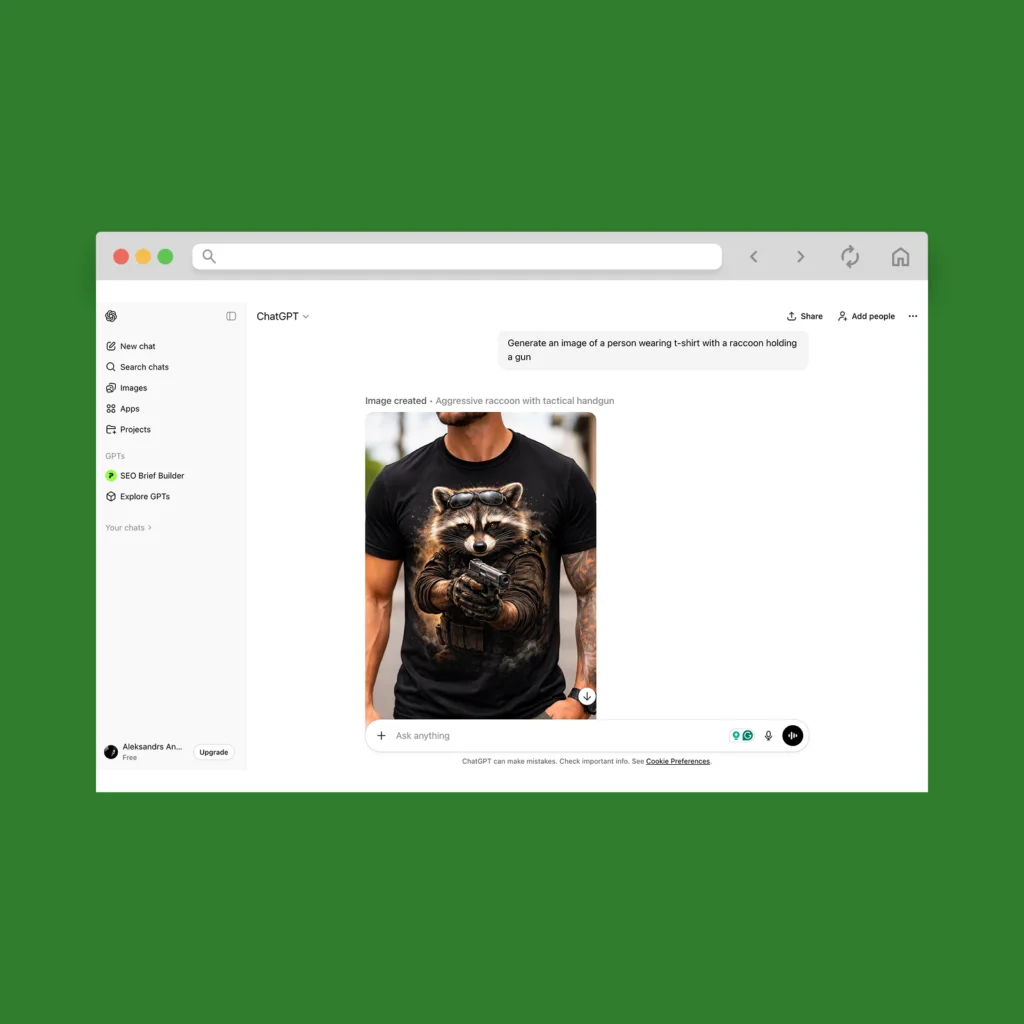
Best for: Generating creative images for free
ChatGPT lets you generate AI images right inside the chat using GPT-4o or the latest model in the ChatGPT Images tab – both available on the free plan.
This free AI image generator is incredibly beginner-friendly. Just describe what you want to see in a familiar chat interface on the web or mobile. Or, upload an image prompt to edit an existing photo or create variations of it.
You also get a dedicated image library that automatically saves all your creations, making it easy to just browse, download, or edit whenever you need.
Starting price: Free plan available. Paid plans start at $20/month for faster image generation and more credits to enter ChatGPT prompts.
Pros:
- Most features – aside from video generation – are available to all ChatGPT accounts
- Can generate new logos or artwork while others are still loading
- Stores all your images in one place
Cons:
- Slower on free plans
Did you know Printify’s free AI image generator runs on OpenAI’s generative AI model? You can create custom designs for your products with free daily credits – no subscriptions required.
Midjourney
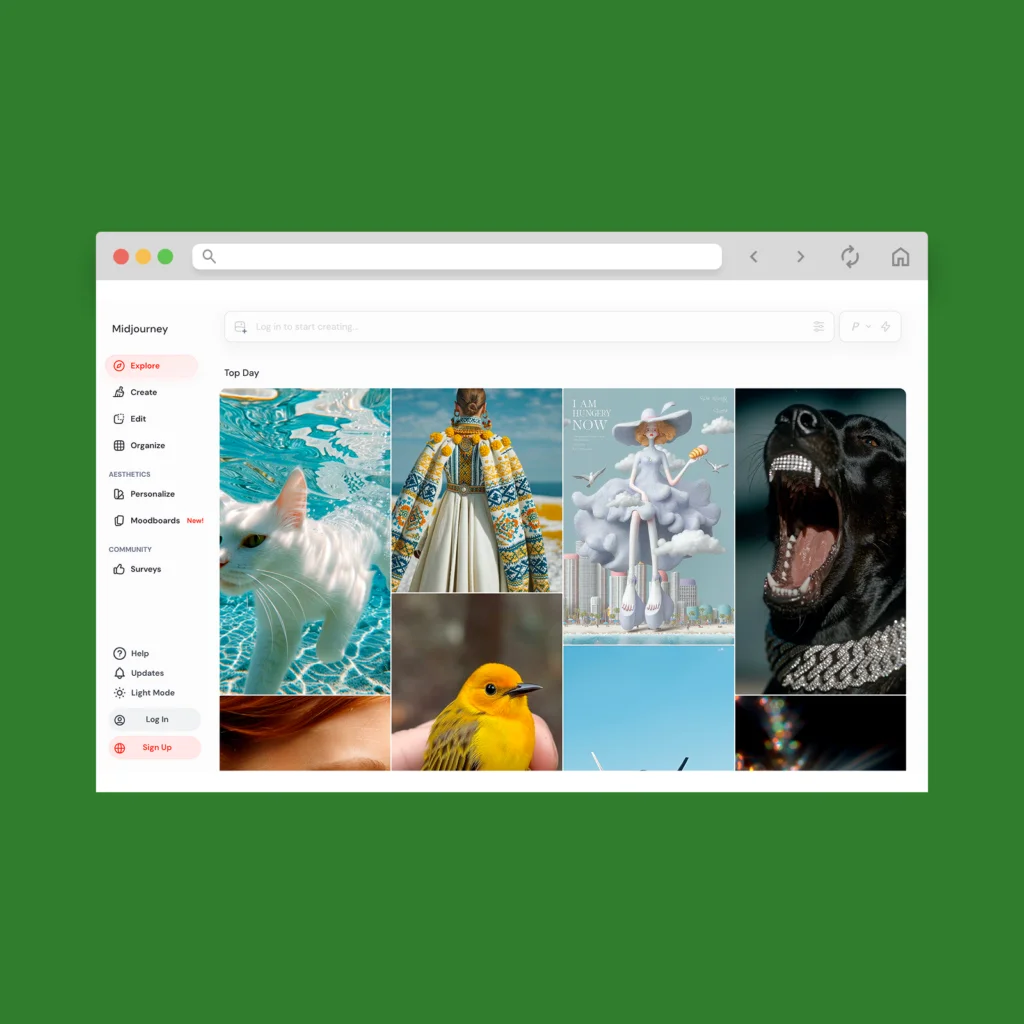
Best for: Creating high-quality images that don’t look like stock art
Midjourney’s AI images are bold, creative, and often jaw-droppingly good – perfect for bold t-shirt designs.
Users can use Midjourney via their web app or Discord. Both let you browse images from other users for inspiration and even view their prompts.
Midjourney’s prompts have their own language. Make sure to learn terms like –ar for aspect ratio or –v for version. Once you’ve got those down, you can create just about anything – from realistic images to abstract graphic design.
Starting price: $10/month for the Basic plan. It includes 200 minutes/month of GPU time, which is the time it takes their AI to generate visuals using their servers. This amount translates to around 100-200 images/month.
All plans allow commercial use, but businesses that make over $1 million/year need at least the Pro plan.
Pros:
- Produces higher image quality than most other models
- Built-in web editor for zooming, erasing, expanding, and retexturing your images
- Prompts are fully customizable, and you can even remix others’ AI content
Cons:
- No free credits or trial – unless you try Midjourney’s Niji app
- Midjourney meters your GPU time, which can run out fast with frequent use
Nano Banana
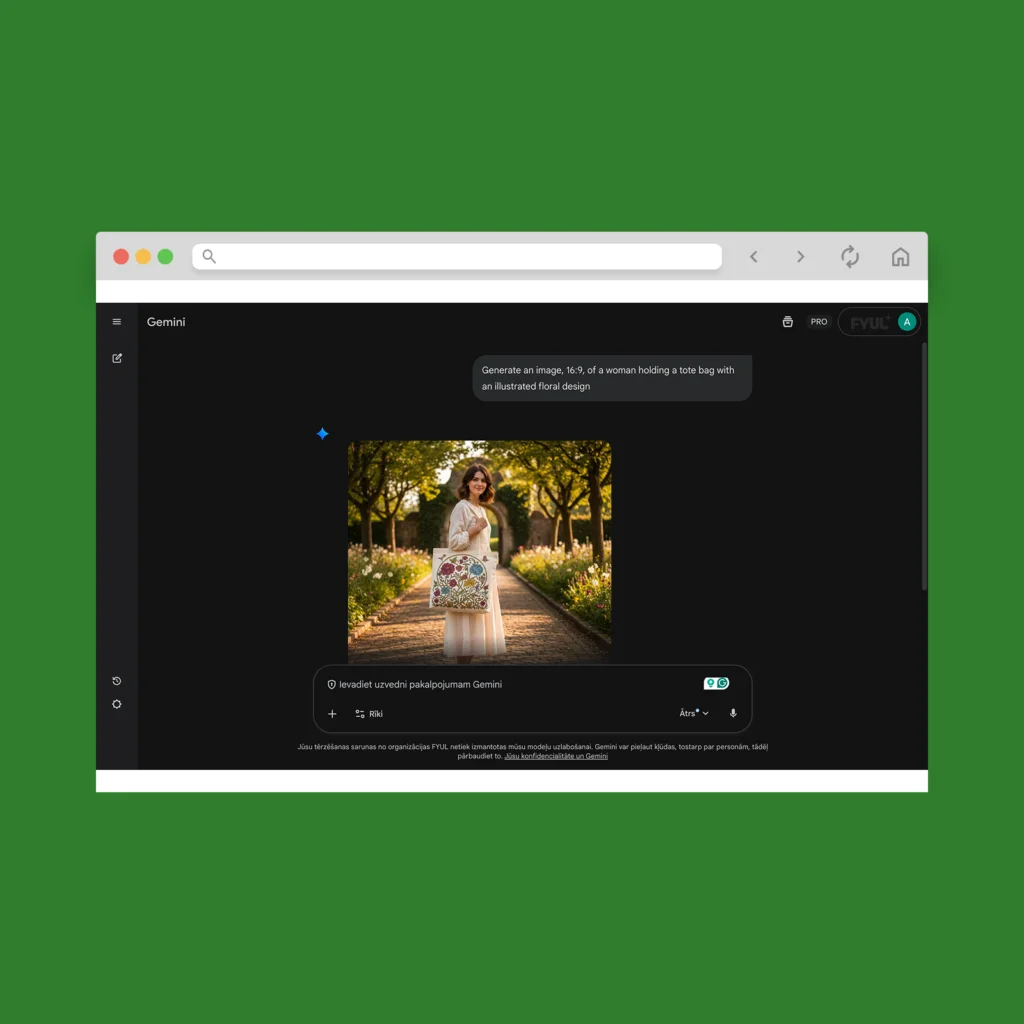
Best for: Transforming existing photos into various art styles
Nano Banana is Google’s built-in AI image generator, available through Gemini. To use it, simply open a Gemini chat, select Create images, and type your prompt.
Nano Banana works especially well with existing images. There’s even a TikTok trend where users upload selfies to generate studio-quality portraits, or place themselves next to fictional characters and celebrities.
That said, this free AI image generation tool may take more tries to get it right – especially compared to ChatGPT Images. That means prompts need to be specific from the start.
Starting price: Free for all Google Workspace users. Full access to the Nano Banana Pro starts at $20/month with Google AI Pro.
Pros:
- Transform existing photos into polished AI content
- Great at keeping characters, outfits, and styles consistent across multiple outputs
- Integrates with Google Slides for easy use in presentations
Cons:
- Adds a small watermark in the bottom left corner
- Slower with complex prompts
Adobe Firefly
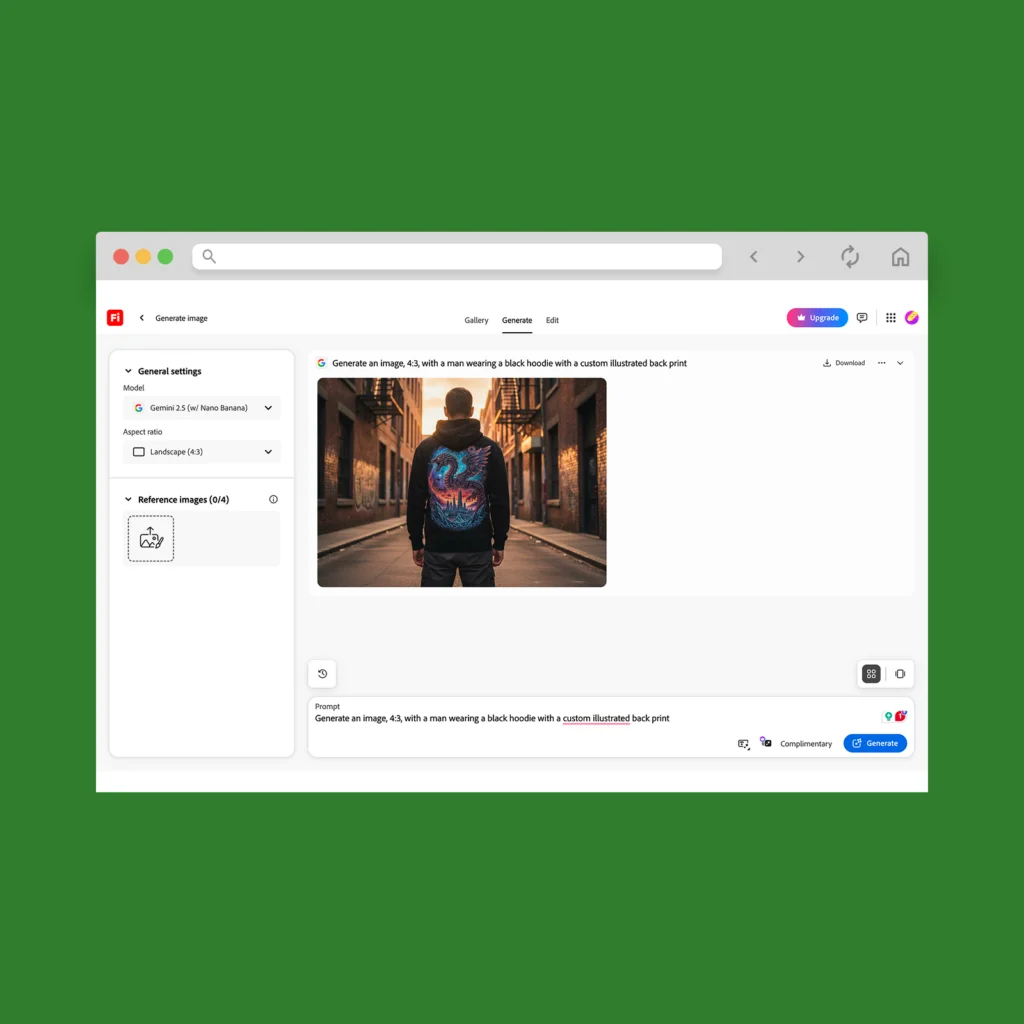
Best for: Built-in integration with Adobe tools
Firefly works with Adobe products like Express and Photoshop – making it convenient for those already using these tools.
Furthermore, you get access to multiple AI models – not just Firefly’s own – including Nano Banana Pro, ChatGPT Images, and FLUX. That gives you way more flexibility based on the quality and speed you need.
The interface is chat-based but includes settings you won’t find in other tools – like visual intensity controls and reference image uploads to guide composition and style.
Starting price: Free plan available. The cheapest paid plan is $9.99/month and includes 2,000 monthly generative credits. A standard image typically takes one credit, but higher-quality output will use more.
Pros:
- More affordable entry plan compared to other tools
- Supports reference images to help the AI nail the style and layout
- Prompt enhancement feature to help sharpen your wording
Cons:
- Not always spot on the first time – may take a few tweaks
- Credits run out quickly if early outputs aren’t usable
Leonardo AI
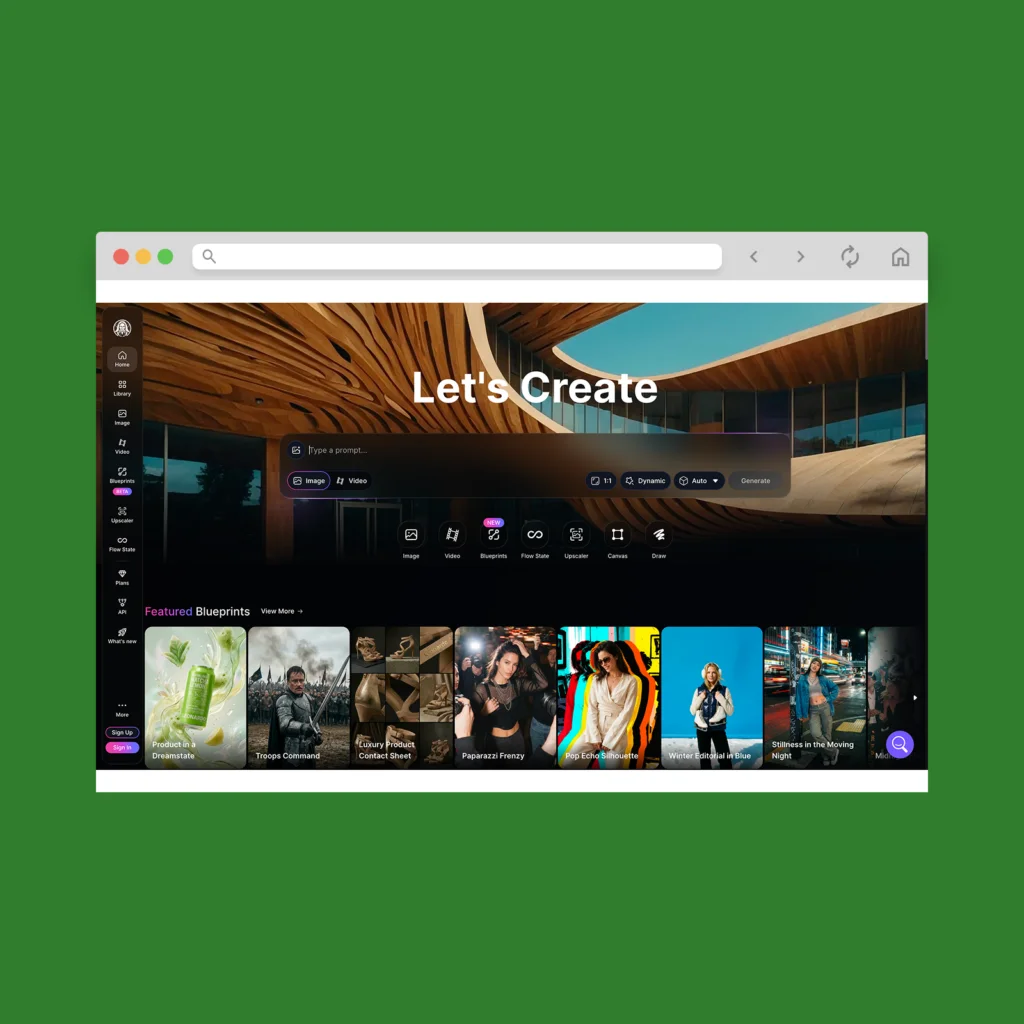
Best for: Having total design control over your AI-generated images
Leonardo AI is an AI image generator with pro-level creative tools. It offers multiple models and full design control – with features like AI training for your personal models, allowing you to fine-tune results to your brand.
There’s also the Flow State tool to generate an endless scroll of image variations from a single prompt. Think of it as a creative brainstorming partner for generating new designs to sell on Etsy, Amazon, and more.
To maintain consistency across all your designs – like for a branded merch drop – you’ll love Blueprints, which save your prompt setups and styles as reusable templates.
Starting price: Free plan available. Paid plans start at $10/month, including the ability to train ten personal AI models.
Pros:
- Offers free credits for fast AI image generation
- Private generation mode for NDA-safe projects
- Canvas editor to edit your images in a drag-and-drop interface
Cons:
- Lots of settings can feel overwhelming for new users
FLUX
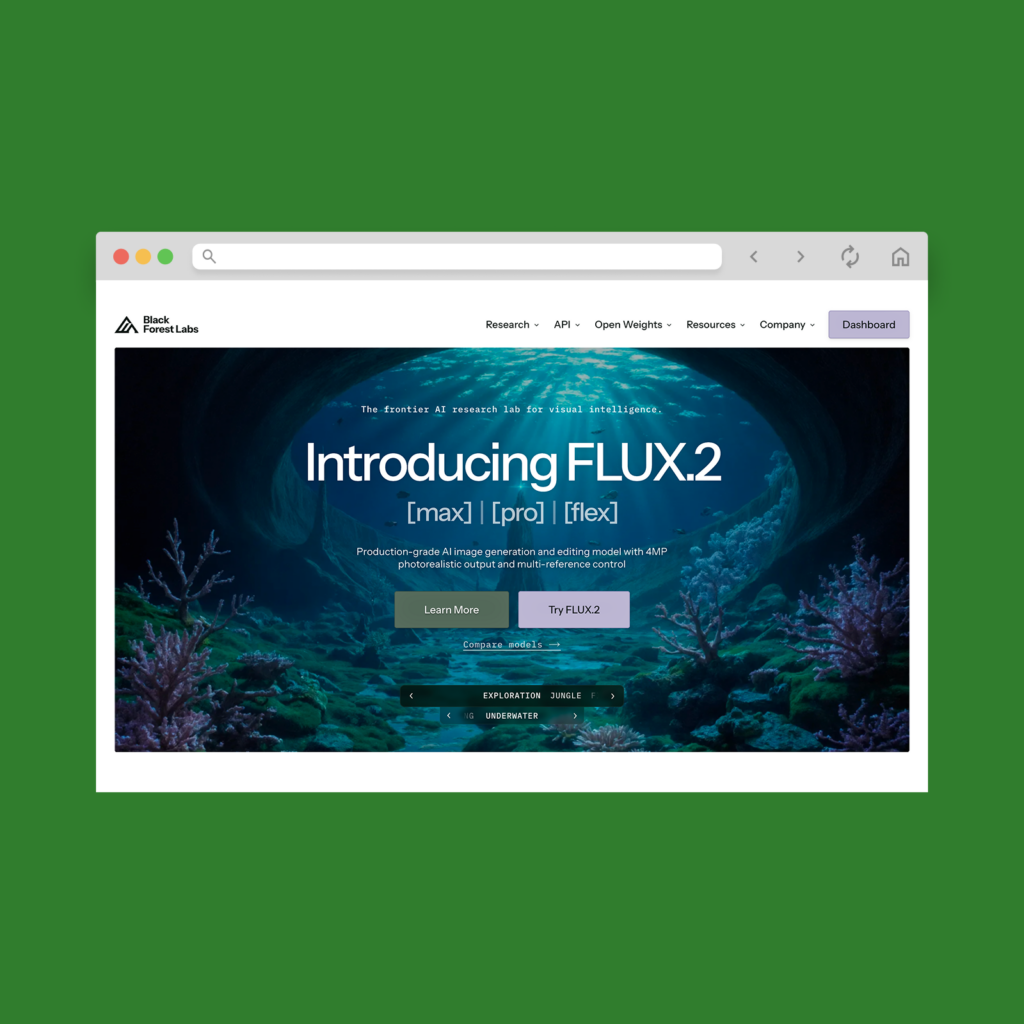
Best for: Hyper-realistic image generation
FLUX is what happens when former Stability AI engineers decide to crank the realism dial to eleven. Designed for near-photographic results, its browser-based playground lets you generate, fill, and expand images using state-of-the-art models.
Even better, users can choose from multiple FLUX variations. The latest model comes in three versions: Max for the highest-quality renders, Pro for speed and scalability, and Flex for text-heavy designs.
You start with a short text prompt, and FLUX automatically expands it into a richer internal description to squeeze out extra detail. However, feel free to toggle that off for more prompt control.
Starting price: Offers free 50 images for new users. After that, it’s $10 for 1,000 credits. One image takes four credits to generate, which means you can create 250 images in total.
Pros:
- Can create realistic images that look almost indistinguishable from real photos
- Multiple models to match your workflow
- Ability to set default instructions for every generation – including style, tone, color palette, and more
Cons:
- Max model takes longer to generate images compared to lighter options
Reve
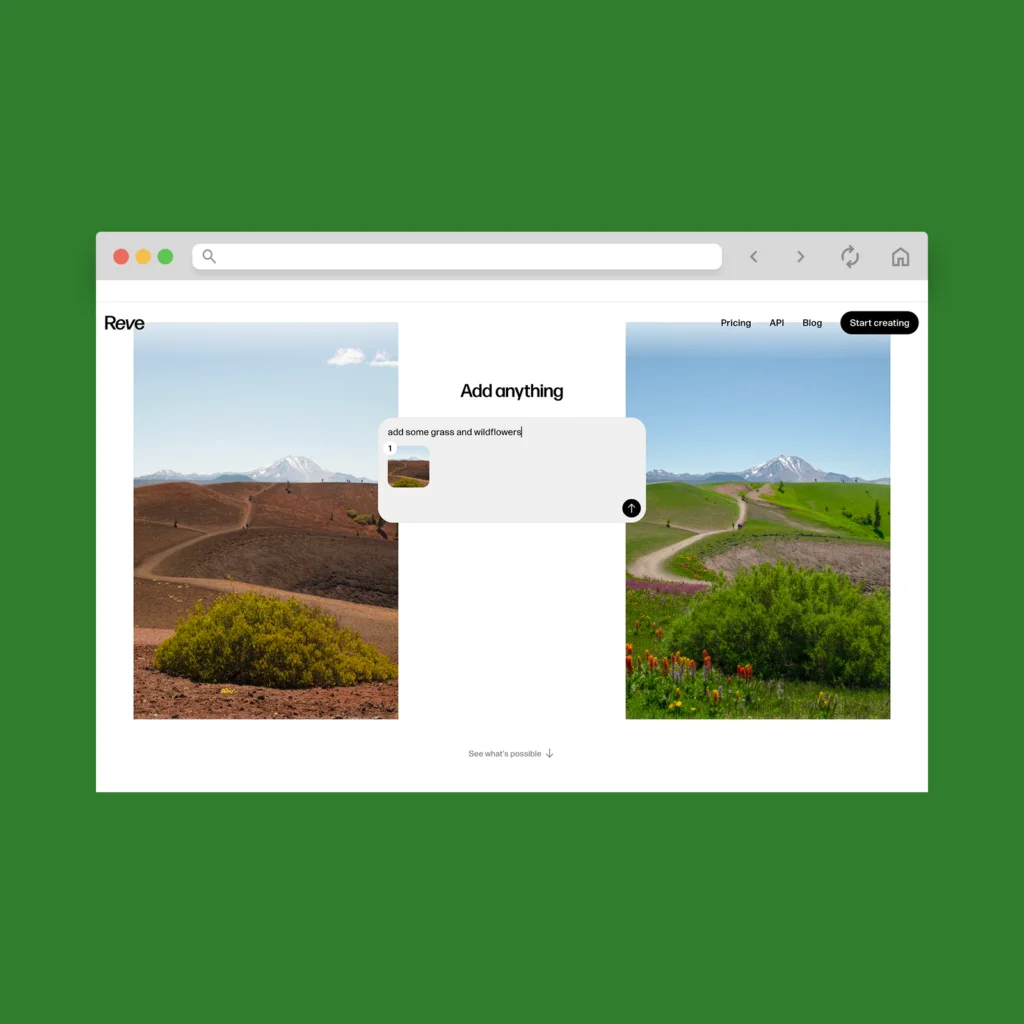
Best for: Creating multiple image variations at once
Reve gives you a fast, flexible way to create AI images in bulk. Each prompt automatically generates several variations, and you can refine the look further with premade follow-up prompts – ideal for exploring different styles without retyping everything.
The image quality is nearly on par with FLUX, and Reve does an especially great job with hand accuracy, text-based graphic design, and sticking closely to your prompt.
Reve also offers a built-in image editor for making targeted changes – like moving or resizing parts of an image, removing backgrounds, and upscaling pictures in a few clicks.
Starting price: Free plan available. The Pro plan is $20/month, offering 100 times more image generations and storage.
Pros:
- Creates multiple image variations per prompt
- Save references for the AI to emulate the style, character, pose, or mood
- Browse existing images from other users and remix them to spark new design ideas for tumblers, stickers, hats, and more
Cons:
- Edited versions may change slightly when re-generated
Ideogram
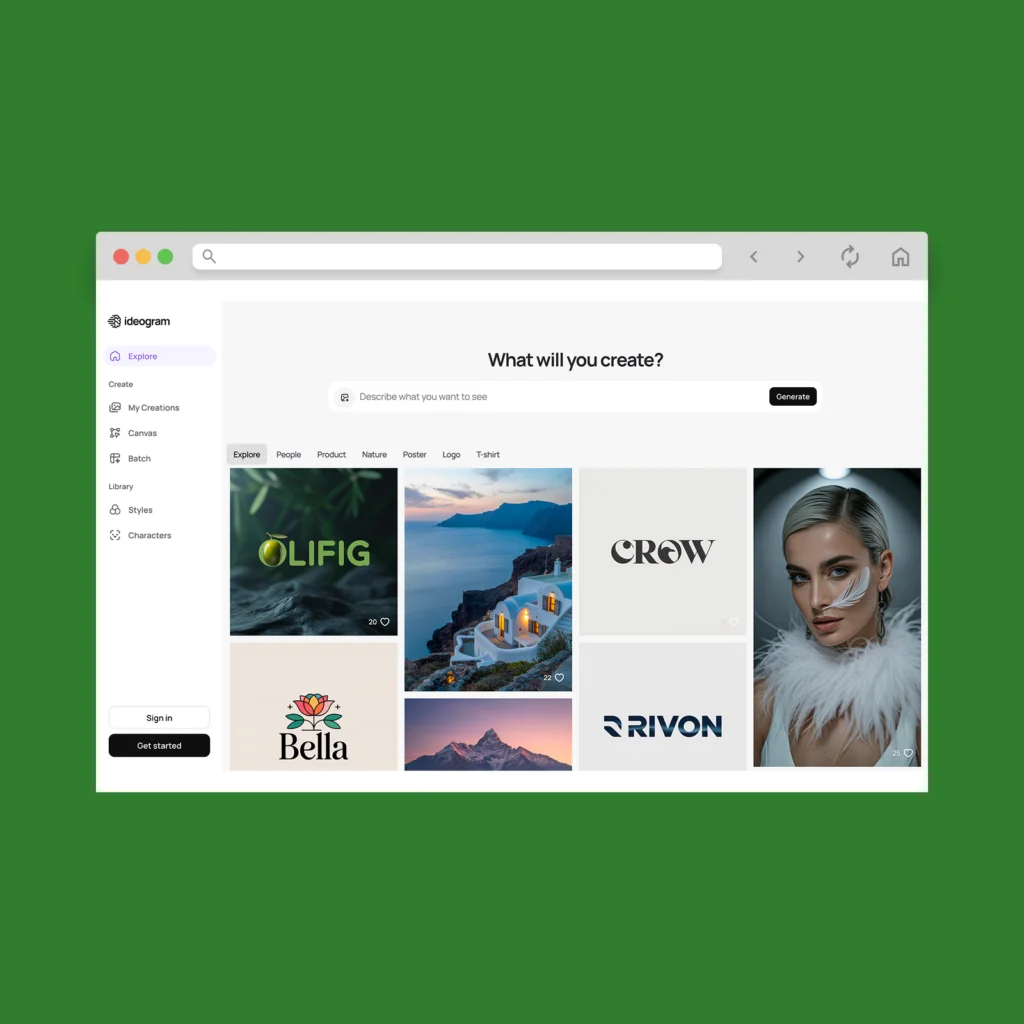
Best for: Creating multiple images with the same characters
Ideogram makes it easy to create AI images using preset art styles and repeatable characters.
Once you sign in with a Google, Apple, or Microsoft account, you can start generating right away. Choose from a wide range of design styles and trends like watercolor, woodblock print, or dramatic cinema – then remix, upscale, or expand your results.
Ideogram also lets you create a visual character that stays consistent across different designs – perfect for creators building branded content with personas.
Starting price: Free plan available. Paid plans start at $7/month.
Pros:
- Tons of creative style presets to choose from
- Create reusable characters that stay consistent across different scenes
- Can replace backgrounds, not just remove them – helpful for mockups or scene changes
Cons:
- Private generation is only available on higher-tier plans – not ideal if you need to keep work confidential
Canva AI
Best for: Creating branded visuals and simple stock-style images
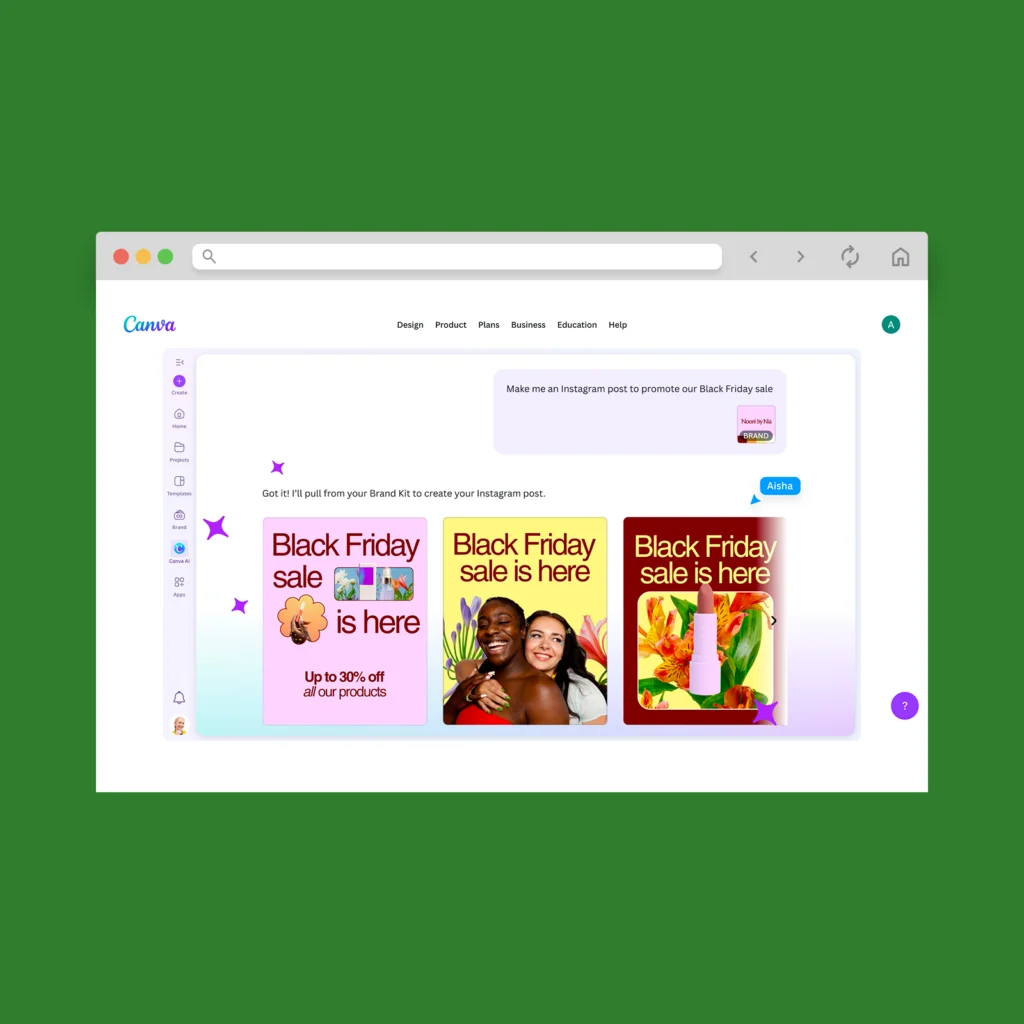
Canva’s built-in AI image generator is a solid choice if you already use Canva for design, marketing, or social media.
Instead of starting with a blank canvas, you can instantly create visuals based on a prompt and then drop them into ready-made templates for presentations, Instagram posts, logos, cards, and more.
Choose from a variety of style presets like cinematic concept art, 3D render, stock photo, sketch, portrait, and minimalist. From there, simply edit the result directly in Canva or build on it using follow-up prompts.
Starting price: Free plan available with limited AI image generations. The Pro plan starts at $7.50/month per person and includes more access to AI features.
Pros:
- Easily turn AI-generated visuals into social posts, presentations, or logos
- Build a brand kit, and Canva’s AI will use it to generate on-brand content
- Access to other Canva AI tools for writing and editing
Cons:
- Works best for clean, stock photo-style images – less suited for intricate artwork
QuillBot
Best for: Generating simple AI images without fuss
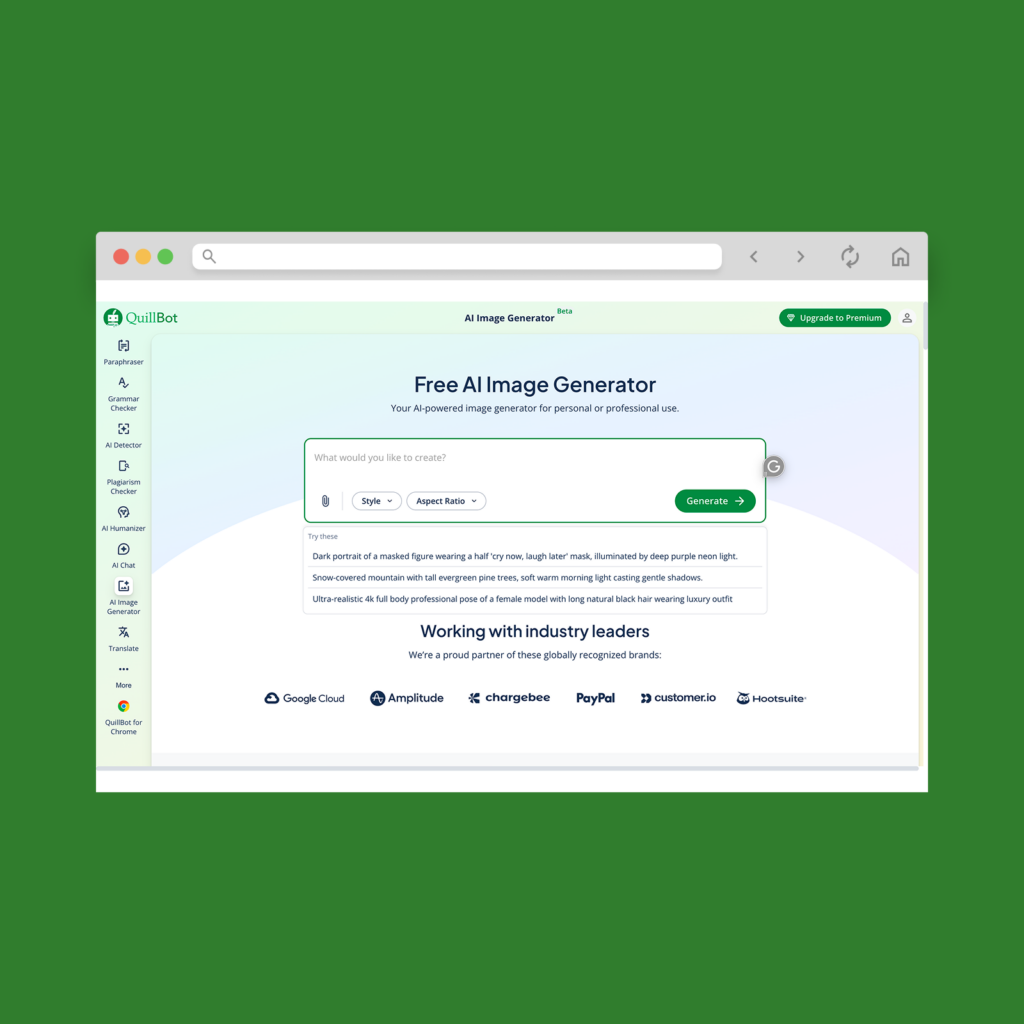
If you want a user-friendly, no-frills AI image generator, QuillBot gets the job done.
Simply choose from various styles like realistic images, anime, digital painting, or fantasy art, and pick an aspect ratio for the output. After that, download the results.
QuillBot also offers quick-access tools like an AI background remover, logo generator, flyer creator, and even a tattoo design generator – making it handy for small business owners who need fast visuals.
Starting price: Free plan available. Pro plans start from $10/month for more credits.
Pros:
- Clean and easy interface, excellent for mobile
- Includes useful tools for business purposes, like logo, flyer, and thumbnail generators
- Multilingual support for English, Spanish, French, and German
Cons:
- Free plan limits you to 3 AI image generations every 24 hours
- Fewer customization features compared to other AI image generators
Best AI to create images: An overview
Here’s a quick side-by-side comparison of all the AI art generation tools on this list:
| Generator | Ease of use | Free version? | Starting price | Best for |
|---|---|---|---|---|
| ChatGPT | Easy | ✓ | $20/mo | General-purpose images |
| Midjourney | Moderate | ✕ | $10/mo | Artistic, non-stock visuals |
| Nano Banana | Easy | ✓ | $20/mo | Stylizing existing photos |
| Adobe Firefly | Easy | ✓ | $9.99/mo | Branded assets in Adobe apps |
| Leonardo AI | Moderate | ✓ | $10/mo | Pro-level graphics and editing |
| FLUX | Moderate | ✓ | $10/1,000 credits | Photorealistic images |
| Reve | Easy | ✓ | $20/mo | High-detail, artistic results |
| Ideogram | Easy | ✓ | $7/mo | Character-based visuals |
| Canva AI | Easy | ✓ | $7.50/mo | Simple stock-style visuals |
| QuillBot | Easy | ✓ | $10/mo | No-fuss image generation |
How to choose the best AI art generators
With so many AI image generators on the market, it helps to know what features matter to you when picking the right tool. Use these questions to guide your decision:
- Ease of use. How beginner-friendly is the image generator? How much trial-and-error is necessary before you can create images you’re happy with?
- Output quality. Does the digital tool produce sharp, detailed, and realistic images that meet your creative standards?
- Prompt accuracy. How closely does the output match your instructions – especially with tricky details like text, hands, and facial features?
- Customization. Can you easily tweak the style, composition, or individual elements after generation without starting from scratch?
- Speed. How quickly does the generator produce results – especially when creating multiple images or higher-quality outputs?
- Value for money. Compared to other image generators, are you getting a fair number of generations for what you’re paying?
- Commercial usage rights. Are you allowed to sell or use the generated images for business purposes without extra licensing fees?
Print and sell custom products with your AI images

Want to make money with your AI-generated images? Printify makes it easy to sell custom products with your own designs – no upfront costs or inventory required. Here’s how to do it:
2. Add your AI-generated design
In the Product Creator, upload your existing AI content or use Printify’s built-in AI image generator powered by OpenAI. Just enter a prompt, pick a style, and generate your custom artwork. You can also remove backgrounds, resize and adjust the design’s placement.
Need ideas? Use the Printify Trends tool to discover trending designs and see some AI-generated image examples.
3. Order or sell online
Order a sample to test the print quality yourself, or integrate Printify with platforms like Etsy, Shopify, or Amazon to start selling. We handle printing, packing, and shipping whenever an order comes in – you just focus on creating.
FAQ
The best AI image generator depends on what you want to create.
Looking for a beginner-friendly, free option? Start with ChatGPT or Nano Banana. If you’re after hyper-realistic images, try FLUX. For artistic visuals that don’t look like stock photos, Midjourney is a top pick.
Many AI tools, such as ChatGPT, Nano Banana, Adobe Firefly, Canva AI, and Leonardo AI, can create images for free. However, each has its own usage limits and may require a paid plan for faster or higher-quality results.
The answer depends on the type of picture you want to create. Many users start with ChatGPT because it’s the most accessible. If you want realistic images, try FLUX or Reve. For artistic visuals, go with Midjourney or Leonardo AI.
And if you’re creating stock images, Canva AI makes it easy to generate on-brand content and drop it into templates.
Yes, ChatGPT can generate images. You can use GPT-4o or the ChatGPT Images model to create visuals from a text prompt or upload a photo to edit. It’s free to use and beginner-friendly, making it a great starting point for anyone curious about AI image generation.
To summarize
Not sure which of these best AI image generators to start with? Most offer free plans, so it’s easy to explore and test them out.
We recommend starting with popular AI art generation tools like ChatGPT, Nano Banana, or Canva AI to get a sense of the results. Then, explore more specialized options like FLUX, Leonardo AI, or Ideogram to discover other possibilities.
After that, turn your designs into real products with Printify. Simply choose a product, upload your artwork, and we’ll handle the rest – from printing to delivery.