Turn followers into customers
Want to turn your TikTok scroll time into actual sales? You’ll need the right TikTok tools.
Find everything you need to create scroll-stopping TikTok videos, post more often, and send viewers straight to your offers – from print-on-demand products to services, and more.
In this guide, we’ll walk through a stack of TikTok tools for planning, creating, and boosting your TikTok posts, so you can grow an audience and build a real business around your content.
Why are TikTok tools important?
TikTok has become a massive attention engine, with around a billion monthly active users and an average daily screen time of nearly an hour. That much scrolling means massive potential reach. And without the right TikTok tools, you rely on luck instead of a plan.
The best tools can help you:
- Streamline content creation and posting: Turn scattered ideas into a simple workflow for scripting, filming, editing, and publishing TikTok posts.
- Save time by automating repetitive tasks: Cut manual trimming, captioning, exporting, and reuse templates so you can focus on ideas and offers.
- Improve analytics and performance tracking: Track how each clip affects your account’s performance across views, watch time, and taps.
- Boost creativity, engagement, and reach: Surface TikTok trends, spark content ideas, and shape each video for a wider audience.
Behind these points sits a bigger shift: TikTok is now a discovery engine.
Around 60% of users discover new brands and products on the platform, often taking action afterwards. That’s huge for small businesses, creators, and print-on-demand sellers.
Instead of getting buried in the feed, use TikTok tools to meet your audience where they already spend their time and guide them from “I just discovered this” to “I’m ready to buy”.
Categories of TikTok tools
Before jumping into individual apps, it helps to know the main kinds of TikTok tools and what each one is used for:
Content creation and editing
TikTok creator tools and editing functions help you plan, shoot, and polish your TikTok videos with cuts, effects, and captions – so you can create content consistently and build a recognizable visual style over time.
Analytics and insights
Analytics and insights tools, including native TikTok analytics tools and external dashboards, break down views, audience behavior, and trends, so you can see what’s actually working instead of guessing.
Hashtag and trend discovery
Trend and hashtag tools surface trending sounds, topics, and content ideas, giving you fresh angles to test and helping your posts match what people are already watching.
Scheduling and automation
TikTok scheduling tools and automation workflows queue your TikTok posts and sync with other social media channels, so you stay visible without constantly opening the app.
Ad management and influencer marketing
These sit on the paid side of your stack. They support TikTok marketing tools for TikTok ads, help you find creators, and track how campaigns perform from reach all the way to conversions.
eCommerce and monetization tools
Monetization tools like Printify connect views to actual sales. Product fulfillment platforms, link-in-bio builders, and optimization functions move viewers from content to clicks and customers, especially when paired with TikTok for Business.
Most creators and brands build a tool stack that supports their TikTok videos, sales, analytics, and marketing, then mix and match the best tools to achieve their goals.
Best TikTok tools for content creation

Strong TikTok growth starts with strong visuals. A good video editing tool speeds up video creation, keeps your style consistent, and makes your TikTok videos look polished, keeping users engaged. Here are some of the best TikTok tools for creating content.
CapCut
CapCut is a TikTok-focused video editor from ByteDance, with templates, transitions, filters, and a handy speed control feature for quick cuts or slow-mo reveals.
You also get options like chroma key, sound effects, and text animations, which work well for talking-head content, memes, and product demos.
Canva
Canva’s TikTok video editor helps you design vertical layouts, captions, stickers, and overlays that match your brand.
Its user-friendly interface and AI-powered Magic Studio features support quick video creation and fresh content ideas, especially if you want your TikTok posts to match other social assets.
InShot
InShot is a mobile-first video editor with the basic features you need: trimming, splitting, speed changes, filters, text, and music.
A free plan covers core editing, while paid plans unlock extra effects and export options, making it ideal for creators who shoot and post several TikTok videos per week.
VEED.io
VEED.io runs in the browser and focuses on fast social clips.
You can cut footage, stack layers, and auto-generate subtitles in one place. Its AI-powered tools help clean audio and repurpose videos for other platforms.
Descript
Descript lets you edit video by editing text, using transcripts as the main timeline.
Features like studio-style audio cleanup, filler-word removal, and automatic captions suit tutorials, explainers, and talking-head clips you can later slice into short TikTok videos.
Remove.bg
Remove.bg focuses on instant background removal for images.
Use it to cut out products, logos, or portraits and drop them onto clean, colorful backgrounds in CapCut or Canva, helping your videos look more branded and consistent across your feed.
TikTok analytics and performance tools

Once you’re posting regularly, TikTok analytics and other TikTok video analysis tools help you understand what works, who you’re reaching, and how to improve your account’s performance.
TikTok Analytics (built-in)
TikTok’s native analytics tool, available for both Business and Creator accounts, provides insights into audience demographics, watch time, traffic sources, and more.
You can track engagement metrics like views, profile visits, and engagement rate across your TikTok posts to spot patterns and refine your overall TikTok strategy.
Analisa.io
Analisa.io focuses on profile and hashtag reports, with detailed analytics on follower growth, video views, and engagement for both your account and competitors.
It’s handy if you want to benchmark against similar creators or brands and see what kinds of content formats perform best in your niche.
Pentos
Pentos digs into songs, hashtags, and profiles on TikTok.
You can monitor how specific tracks or tags perform over time, then line up content ideas around proven topics, matching trends with campaigns, rather than jumping on random sounds.
Exolyt
Exolyt offers deeper insights into TikTok analytics, from per-video engagement metrics to competitor comparisons.
It supports engagement monitoring across multiple profiles, allowing agencies and larger teams to track the performance of creators, clients, or ambassadors in one place.
Socialinsider
Socialinsider’s TikTok analytics focus on cross-channel reporting.
You can compare TikTok performance with other platforms, study campaign performance, and see how different content pillars behave to align TikTok with your broader social media strategy.
Hashtag and trend research tools

Hashtags and trends help your content ride existing momentum instead of starting from zero. These TikTok tools keep your idea pipeline full of what people already want to watch.
TikTok Creative Center
TikTok Creative Center highlights TikTok trends across hashtags, songs, and top-performing videos, with filters by region and industry.
It’s a great place to study trending sounds, see real ad examples, and turn those insights into new content ideas.
TrendTok
TrendTok is an AI-powered trend app that tracks rising and falling sounds and formats.
It focuses on analytics for specific niches and locations, helping you discover patterns early and plan posts around what’s about to pop.
influData
influData is an influencer and audience analysis platform with millions of TikTok creator profiles.
You can research creators in your niche, then mine their best videos for hashtags, hooks, and themes that resonate with the audience you want to reach.
Hashtagify
Hashtagify is known for hashtag research and analytics.
Use it to explore related tags, popularity, and sentiment analysis, then adapt the strongest ideas into TikTok hashtag sets and future content ideas.
KeywordTool.io (TikTok)
TikTok Keyword Tool from KeywordTool.io pulls trending TikTok keywords straight from autocomplete.
It helps you easily find phrases people search for before they watch videos, giving you hashtags, topics, and hooks you can plug into scripts, captions, and upcoming posts.
Scheduling and automation tools
Posting in real time works at first, but it gets chaotic fast. TikTok scheduling tools help you batch content, stay consistent, and reuse clips across platforms without being glued to TikTok all day.
TikTok’s native scheduler
TikTok’s built-in Video Scheduler lets Creator and Business accounts schedule TikTok posts from desktop up to several days in advance.
It’s a simple way to line up videos for the week, test different posting times, and stay consistent without manually hitting publish every time.
Later
Later’s TikTok scheduler lets you drag-and-drop videos onto a content calendar, auto-publish them, and manage other platforms from the same dashboard.
It includes key features like suggested best times to post and a link-in-bio tool, so you can save time while still showing up regularly.
Buffer
Buffer is a lightweight scheduler that queues TikTok posts and cross-posts them to other platforms within a single workflow.
A clear calendar view, basic analytics, and an idea hub make it one of the best tools for solo creators who want to plan ahead without overcomplicating things.
Metricool
Metricool combines scheduling, analytics, and reporting in a single dashboard.
You can plan TikTok posts alongside other social media channels, assign tasks inside a team, and monitor how scheduled content performs – useful if multiple people run the account.
TikTok ad and marketing tools

At some point, organic reach alone stops being enough. TikTok ads and smart partnerships help you reach new audiences on purpose, test offers quickly, and turn proven content into scalable campaigns. These TikTok marketing tools give you more control over traffic and targeting.
TikTok Ads Manager
TikTok Ads Manager is the official platform for creating and managing TikTok ad campaigns.
You can set goals (video views, conversions, traffic), build audiences, track campaign performance, and reuse your best organic posts as Spark Ads.
Shopify TikTok integration
Shopify’s TikTok sales channel connects your store to TikTok Shop, syncing products, orders, and tracking in one place.
You can turn TikTok ads and shoppable videos into a clean path to checkout, then fulfill orders from your Shopify or Printify workflow. This setup works well if you already sell on Shopify.
Kolsquare and Aspire.io
Kolsquare and Aspire help you find influencers, manage collaborations, and measure how creator content performs.
You can search creators by niche, audience, and engagement, then track campaign performance with first-party data from TikTok to test influencer-led TikTok ad campaigns.
TikTok eCommerce and monetization tools
Once your content starts performing, you need a smooth path from views to revenue. These TikTok tools help you turn attention into sales through embedded shopping links in posts, on-site product catalogs, and eCommerce integrations, such as Print on Demand.
TikTok Shop
TikTok Shop lets TikTok users buy without leaving the app, with in-feed product cards, live shopping, and a full seller dashboard.
If you’re ready to monetize, this is the hub where you manage listings, orders, and keep your audience engaged around shopping content.
Printify

Printify’s TikTok Shop integration connects print-on-demand products to TikTok Shop, so you can sell custom merch without holding inventory.
Design once, list products, and let automated fulfillment handle printing and shipping while you focus on TikTok posts and campaigns.
Affiliate and partner platforms
TikTok Affiliate platforms help you manage commissions, codes, and links when you collaborate with brands or creators. They track clicks and sales across campaigns, so you know which partnerships actually drive revenue and which to test next.
Tips for using TikTok tools effectively

TikTok tools work best when they support a clear plan. Use them to sharpen your decisions.
Use analytics to refine your strategy
See how your content performs and decide what to adjust next.
- Review TikTok analytics once a week
- Track views, watch time, completion rate, and profile visits on recent posts
- Note which posts improve your account’s performance and which don’t
TikTok analytics and third party tools give you numbers you can act on. Over time, you build an overall TikTok strategy based on real results, not guesses.
Combine creative and analytical tools for balance
Use creative tools to build strong videos – then measure what happens after posting.
- Use editors to create content in a small set of repeatable visual styles
- Group posts into batches and compare performance across those styles
- Keep the formats that your audience engaged with most and remove the rest
This process helps you create content that looks consistent and performs better with every batch of posts.
Stay updated on trends
Use trend tools to keep a steady flow of topics and angles.
- Check TikTok trends and trending sounds every week
- Save 3-5 ideas you can adapt to your niche
- Turn them into concrete content ideas or short scripts for upcoming posts
Regular trend checks keep your pipeline full without derailing your long-term plans.
Use tools, but focus on authentic content
Let automated tools take care of the repetitive tasks so you can focus on what you do best.
- Let your tool stack handle editing, scheduling, and publishing
- Use your time for stories, opinions, and honest behind-the-scenes moments
- Read comments and respond in your own voice to build long-term trust
Automation tools keep your workflow organized, but your content should stay grounded in real experience, which is what people remember.
Sell on TikTok with Printify
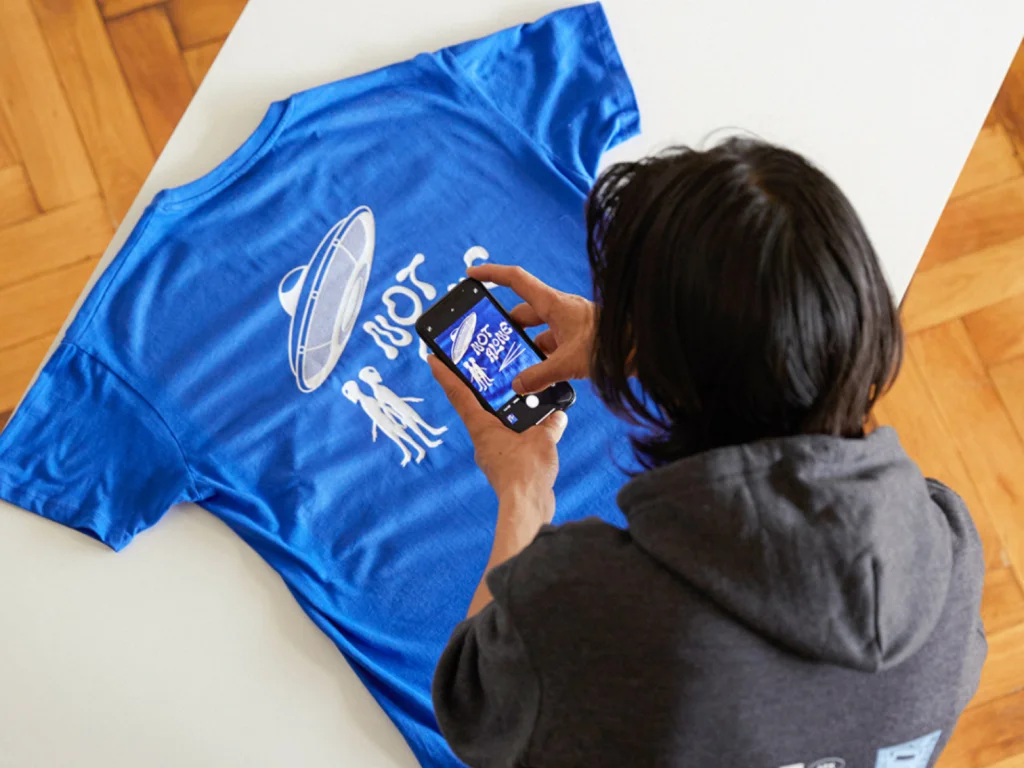
Design products, connect to TikTok Shop, and let Printify’s global print-on-demand network handle printing, packing, and shipping while you stay ahead of content production.
Create a free account to unlock our powerful features and start selling in four quick steps:
1. Pick products
Browse the Printify Catalog and choose products that match your audience and content style.
2. Add your designs
Use the Printify Product Creator to upload artwork, position designs, and generate mockups for your TikTok posts and listings.
3. Integrate with TikTok Shop
Connect Printify to your TikTok storefront via the Printify x TikTok Shop integration so products sync into TikTok Shop.
4. Start selling
Launch your products, promote them with your TikTok tools, and let Printify’s global network print and ship orders to your customers.
FAQ
Open Settings, switch to a Business or Creator account, then tap Creatortools to access analytics, scheduling, and other advanced features.
TikTok’s payouts per 1,000 views vary widely. Most creators earn more by selling products, hosting live sessions, and running brand deals with influencers.
Publish three or more posts weekly, sell print-on-demand products or promote affiliate offers, use TikTok SEO tools, and refine campaigns with some of the best TikTok analytics tools available.
Grab attention in the first three seconds using movement, clear text, or a direct promise in your opening, so viewers stay engaged and watch the full version instead of swiping away to another video.
Conclusion
TikTok tools help you plan videos, analyze performance, follow trends, schedule uploads, and manage campaigns. With a focused stack and consistent posting, you can test print-on-demand products, digital offers, and affiliate deals, then double down on what sells best.
Combine that workflow with automated fulfillment, and your TikTok account becomes a steady engine for traffic, customers, and long-term revenue.