Turn followers into customers
TikTok now has 1.9 billion monthly active users, and people spend an average of 95 minutes per day on the app. For print-on-demand (POD) sellers, that reach is a massive opportunity, but without a plan, it’s easy for content creation to become inconsistent and unfocused.
A TikTok content calendar gives you a system to create videos with purpose, post consistently, and connect every piece of content to your store’s real growth goals.
This guide covers everything from building your first TikTok content calendar template to using TikTok analytics to keep improving it.
Key takeaways
- Consistency drives the algorithm: Accounts with a steady posting schedule can see up to 2.5 times higher follower growth, since the platform favors creators who publish TikTok content regularly.
- Batching prevents burnout: Using a TikTok planning template to film an entire month of social media posts in one session can save hours of social media management time.
- Post at high-engagement times: Data shows that posting on Wednesday afternoons between 2-5 pm can generate significantly higher engagement compared to many other weekday time slots.
- SEO is your secret weapon: Using niche keywords in captions and TikTok posts helps your brand appear in search results long after the publish date.
- Data-driven growth: Regularly reviewing TikTok analytics – especially metrics like completion rate, watch time, and saves – helps you refine your content strategy and focus on what actually drives sales.
What is a TikTok content calendar?

A social media calendar is a planning tool that helps you organize what you post, when you post it, and what each video is meant to achieve.
It typically lives in a spreadsheet or scheduling app and tracks posting dates, hooks, captions, hashtags, audio, product links, and publishing status – all in one place.
For POD sellers, a TikTok content planner connects your social media activity directly to real business outcomes. Instead of posting randomly, you’re creating videos designed to drive website traffic, grow your audience, and convert viewers through TikTok Shop.
How does a content calendar benefit print-on-demand businesses?
Streamlines the content creationprocess: Knowing what’s coming next lets you batch-film multiple videos in one session while preparing mockups and scripts in advance.
Ensures consistent posting: Accounts with a consistent weekly schedule can see up to 2.5 times higher follower growth than those that post sporadically. Showing up regularly is what builds momentum.
Helps track trends and optimize your TikTok strategy: Planning ahead gives you time to identify seasonal moments, trending sounds, and viral formats before they peak – so you can integrate them into your content instead of chasing them after the trend fades.
Frees up time for other business activities: Batch content creation can save hours every week, leaving you more time to design products, manage your Printify store, and handle customer service.
Improves brand visibility and drives sales: When your content plan aligns with product launches, campaigns, and key dates, every video supports a clear goal – helping turn views into website traffic and sales instead of simply filling your feed.
Why you need a TikTok content planner for your POD business

Consistency
TikTok’s For You Page (FYP) is powered by behavioral signals: watch time, replays, shares, and engagement patterns. A social media content calendar helps you maintain a steady posting cadence, giving the algorithm a consistent data stream to understand and distribute your videos.
Algorithm favor
TikTok rewards accounts that post on a reliable schedule. The more consistently you show up, the better the algorithm understands your content style and target audience. Accounts that post erratically – disappearing for weeks and then posting in bursts – often struggle to maintain momentum.
Efficiency and focus
Running a POD business already involves managing products, orders, and customers while also creating TikTok content. A content planner lets you batch your creative work into focused sessions, filming a full week of videos in a few hours instead of scrambling to create content every day.
Goal alignment
Different videos serve different purposes. Some build brand awareness, some drive traffic to your store, and some convert. A TikTok calendar maps each post to a specific goal, so your overall content strategy connects to measurable business results.
How to plan TikTok content: A step-by-step guide

Step 1: Define your content pillars
Content pillars are the three to five core topics your account consistently covers. For a print-on-demand seller using Printify, these might include:
- Product showcases
- Behind-the-scenes design content
- POD tips and education
- Trend participation
- Customer stories
Defining content pillars gives your TikTok account a clear identity, ensures your videos stay on brand, and makes weekly content planning faster and more structured.
Step 2: Plan evergreen vs trend-based content
A strong TikTok content plan carries both.
- Evergreen content stays relevant for months and continues to attract views over time. Examples include product demos, how-to videos, and niche FAQs.
- Trend-based content taps into viral sounds and challenges to pick up reach while they’re active.
A practical split for POD sellers: 70% evergreen, 30% trend-based. To stay on top of trends, track rising sounds and hashtags weekly using TikTok’s Creative Center.
Step 3: Analyze your competitors
Search for other POD sellers and creators in your niche. Look for:
- Viral content: Which videos are getting the most likes, shares, and comments?
- Hooks and formats: How do creators capture attention in the first few seconds?
- Posting frequency: How often are they publishing new content?
This tells you what resonates with your shared audience before you invest time producing content.
Step 4: Map out your key sales dates
Mark the dates that matter most before filling in any content slots: Black Friday, Valentine’s Day, back-to-school, and any product launch or limited-edition drop you’re planning.
These anchor dates shape your entire monthly content plan. For each key date, start publishing teaser content at least two weeks in advance, and plan the rest of your posts by working backward from the deadline.
Essential elements of a TikTok content calendar template
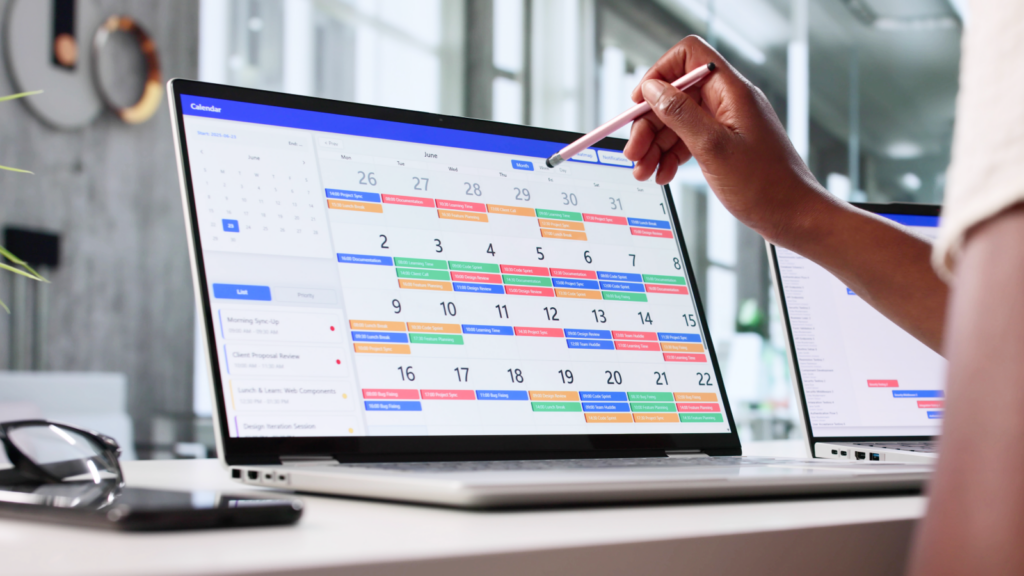
A TikTok content calendar template – like a free Google Sheets version – helps you stay organized and plan every video in advance. Each row represents one planned video and should include these fields:
Publish date and time
Log the exact date and posting time for each video. Wednesday afternoons between 2 pm and 5 pm often generate peak engagement, with business accounts reporting up to four times higher engagement than other weekdays.
Always check your own TikTok analytics to confirm when your specific audience is most active.
Hook and caption
Write the opening line and caption before filming. Your hook is what stops the scroll – a bold statement, a question, or an unexpected visual. Captions should include keywords relevant to your niche.
TikTok functions as a search platform, and keyword-rich captions surface in results days or weeks after a video’s publish date.
Hashtags and audio
Plan four to six hashtags per video, including:
- Broad reach tags
- Niche-specific tags
- At least one trending tag relevant to the video
Also, log the audio track in your calendar so you don’t waste time searching for sounds at upload.
Product link
If the video features a Printify product, include the TikTok Shop linkor product URL in the calendar row. This speeds up publishing and ensures you don’t skip the monetization step under time pressure.
Status
Track each video through its lifecycle: Idea → In Production → Ready → Scheduled → Published. Color-coding each status in your spreadsheet gives an instant view of where content stands for the month.
TikTok content calendar template – example rows:
| Date | Time | Content pillar | Hook | Hashtags | Audio | Product link | Status |
|---|---|---|---|---|---|---|---|
| Tues, Apr 7 | 4 pm | Product showcase | “This hoodie sold out in 3 days…” | #pod #customapparel #printify | [Trending sound] | TikTok Shop link | Ready |
| Thurs, Apr 9 | 2 pm | Behind the scenes | “How I design a bestseller in 10 min” | #designprocess #printifyseller | [Trending sound] | Product Creator link | In Production |
| Sat, Apr 11 | 5 pm | Trend | [Trending audio hook] | #fyp #custommerch #tiktokshop | [Trending sound] | — | Idea |
Best tools for TikTok content planning
Google Sheets
Google Sheets is the most accessible free option for building and managing a TikTok content calendar. It supports all essential fields, allows color-coding for status tracking, and works well for real-time collaboration.
The main limitation is that it doesn’t connect to TikTok, so publishing still needs to be done manually. To save time, download or copy a free content calendar template online instead of building one from scratch.
Scheduling tools
Later, Buffer, and Metricool all support direct TikTok scheduling alongside analytics dashboards. These tools let you queue videos, set posting dates and times, and review performance metrics in one workspace – practical for sellers managing TikTok alongside other social media accounts or platforms like YouTube.
Printify’s built-in content advantage
Before making a single sale, you already have a content library. Order product samples, film unboxings, shoot try-ons, and photograph products in real settings. This authentic content consistently performs well on TikTok – and costs nothing beyond the sample.
The Product Creator is another source of ready-made content. Screen-record yourself designing a product – choosing colors, uploading artwork, adjusting placement – and you have a behind-the-scenes video with no extra effort.
High-quality mockups from the Printify Catalog fill the remaining slots in your calendar with polished visual content.
Content types to include in your TikTok calendar

Product showcases and behind-the-scenes
Feature custom apparel, accessories, and home goods from the Printify Catalog. Show the design process, walk viewers through a product from concept to mockup, and share unboxings when samples arrive. This type of content builds trust and answers the questions buyers have before they purchase.
Trend participation
Trending sounds and viral challenges push content to new audiences without ad spend. Apply trends to your niche rather than copying them directly. A trending audio about earning money independently connects naturally to a POD seller’s story. The key is staying true to your brand while riding an existing visibility wave.
Educational content
How Print on Demand works, how to pick a profitable niche, design tips, and business-behind-the-scenes insights all perform well on TikTok. Educational content attracts followers interested in what you do, not just what you sell – often the most loyal and engaged audience segment you can build.
User-generated content
Ask customers to tag you when orders arrive. Feature real people wearing or using your Printify products in your content plan. User-generated content (UGC) builds social proof and resonates more directly with potential buyers than brand-produced content alone.
Live streams
TikTok Live gives you real-time access to your audience. Use it to reveal new designs, answer questions about your products, or walk viewers through your store. Live sessions regularly reach followers who don’t interact with regular posts.
Optimize your TikTok content for reach and sales
TikTok SEO: Keywords and hashtags
Include relevant search terms in captions, on-screen text, and spoken audio. Think about what someone would type into TikTok search when looking for your product or niche – those keywords belong in your content.
For hashtags, four to six targeted tags outperform a wall of generic ones. Mix broad tags (#custommerch), niche tags (#printifyseller), and one trending tag per video.
Calls to action
Every video needs a clear next step. Link directly to the product shown, your TikTok Shop, or your store. Vague CTAs produce weak results.
Sellers connected to TikTok Shop through Printify can tag products directly in videos and live streams, creating a direct path from view to purchase inside the app.
Using TikTok analytics to refine your content plan
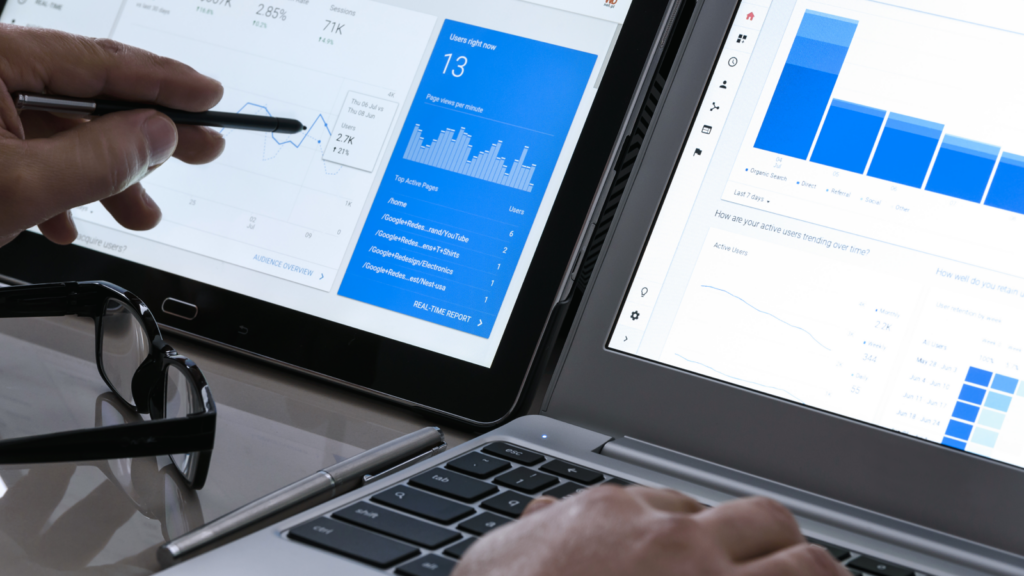
Review your analytics dashboard weekly. Focus on completion rate, watch time, profile visits, and follower growth. Completion rate is one of the strongest algorithmic signals – a high completion rate tells TikTok to distribute your content further.
Identify which content pillars drive the most engagement, and adjust your calendar to focus on them. Track click-through rates on product links to spot CTAs that aren’t converting.
Common challenges and how to overcome them
Staying consistent without burning out
Start with two to five posts per week. Buffer’s analysis of 11.4 million TikTok posts shows that moving from one post weekly to two to five delivers the most meaningful increase in views per post. Establish that rhythm first. Batch-filming once a week is the most reliable way to stay consistent without making content creation a daily task.
Adapting quickly to new trends
Keep one or two flexible slots open in your weekly plan for trend-based content. When a sound takes off in your niche, you can fill that slot without reorganizing your entire calendar.
Measuring ROI
Add UTM parameters to your bio link and monitor TikTok referral traffic in your store analytics. In Printify, watch whether specific products see order increases after videos featuring them. TikTok content often converts on a delay – measure results over rolling 30-day periods, not post by post.
Frequently asked questions about TikTok content calendars
Start with three to five posts per week. This posting frequency is sustainable for sellers managing a store, gives the algorithm enough consistent input to distribute content effectively, and allows time to maintain video quality. Once batch creation becomes routine, scale up from there.
Wednesday afternoons (2 pm to 5 pm) and Tuesday evenings are consistently high-engagement windows, according to broad data. For your specific account, check Followers → Follower Activity in TikTok analytics to see exactly when your audience is online. Revisit this monthly as your following grows.
Research across 32,000 TikTok posts shows videos between 30 and 90 seconds generate roughly twice the engagement of very short or very long content. Quick product reveals work well at 15 to 30 seconds. Tutorials and design walkthroughs perform better between 45 and 90 seconds. Prioritize holding attention from start to finish over hitting a specific video length.
Yes. TikTok’s native scheduler lets you set a publish date and time up to ten days ahead via the desktop interface. For longer-range scheduling, tools like Buffer, Later, and Metricool connect directly to your TikTok account and support full calendar management.
Use TikTok’s Creative Center for real-time data on trending sounds and hashtags. Spend 10 to 15 minutes weekly on the Discover tab in your niche. When the same sound appears across multiple creators in your category, that’s the window to participate while it’s still climbing.
Start selling with a content plan
A TikTok content calendar replaces guesswork with a system. When your posting schedule is consistent, your content types are mapped to goals, and your analytics feed back into the plan, TikTok becomes a reliable and measurable sales channel.
Make it your way!
Connect your Printify store to TikTok Shop and put every video to work. With over 1,300 products to showcase, a free design tool, and automated order fulfillment, your content calendar is the piece that makes it all run.