



If you want to launch an online store, Shopify is well-known in the eCommerce space. This platform gives you the tools you need to create, manage, and grow your store from one place, which is why it’s popular with businesses of all sizes.
This article breaks down the platform step by step, starting with the basics – what is Shopify?
Key takeaways
- Shopify makes it easy to manage online stores and handle products, orders, inventory, and payments in a single platform.
- Shopify plans allow businesses to start small and upgrade, with different pricing levels that match their sales volume and feature needs.
- Selling on Shopify suits all experience levels, offering a hosted setup and built-in tools.
- A built-in payment gateway and third-party providers make it easy to accept payments from customers worldwide.
- Designed with small businesses in mind, Shopify supports growth through apps, automation, multichannel selling, and integrations like Printify for print-on-demand fulfillment.
What is Shopify?

Shopify is an eCommerce Software as a Service (SaaS) platform that helps people sell products through their own online store. Instead of building everything from scratch, it provides a ready-made system to set up a store, list products, and manage online sales in one place.
Used by a wide range of sellers, from entrepreneurs and small business owners to print-on-demand merchants and established brands, Shopify powers over 2.8 million active websites globally. This includes big brands like Gymshark, Netflix, and Hasbro.
How does Shopify work?
To understand how Shopify works, let’s look at how the platform supports an online business from setup to sale.
1. A fully hosted platform
Shopify is a cloud-based, hosted eCommerce platform. This means you don’t need to worry about servers, software updates, or security.
This means automatic updates, built-in security, and reliable performance even during high traffic. By handling these aspects for you, Shopify reduces the risk of issues caused by manual setup or configuration errors.
2. Store and product management
Once your store is live, everything is managed through the Shopify admin dashboard. From there, you can add and organize products, track inventory, process orders, and view basic sales data, all from one place.
Shopify lets you sell physical products, digital items, and even recurring subscriptions like online courses. This setup makes it easier to manage your business operations without juggling multiple tools.
3. Payment processing
Shopify connects with a wide range of payment processors, including credit cards and popular digital wallets. It also has a built-in option, Shopify Payments, which supports multiple currencies and processes payments directly without a third-party provider.
With many secure payment processing options available, it’s easy to sell to anyone, anywhere in the world.
4. Order fulfillment and shipping
Customer orders are automatically recorded in your Shopify dashboard. From there, you can prepare shipments, print shipping labels, send tracking updates, and handle refunds if needed.
You can integrate your Shopify store with Printify to make the fulfillment process even easier – more details on that later.
5. Built-in tools for marketing and sales
Aside from being a website builder, Shopify offers basic tools to help drive traffic and increase sales. These cover search engine optimization (SEO), discount codes, email marketing, and simple promotions to encourage repeat purchases.
6. Apps for added functionality
If you need more features, browse the Shopify App Store for third-party apps. You’ll find solutions for all sorts of things – marketing, customer support, inventory management, automation, and more – to help extend your store’s functionality.
7. Selling across multiple channels
Shopify supports selling beyond your website. You can connect your store to social media platforms, online marketplaces, and even physical locations using Shopify POS (point-of-sale system), all while keeping your inventory in sync.
8. Built to scale
Shopify is designed to grow with your business. With built-in tools and easy access to third-party integrations, the platform can handle higher order volumes easily.
Shopify pricing plans and costs
Shopify’s subscription-based pricing offers plans tailored for various business sizes. Each plan includes core tools like hosting, checkout, and store management. Other costs depend on features, transaction fees, and scale.
You can easily upgrade for more tools or resources.
Plan | Pricing (annual) | Transaction fees |
|---|---|---|
$5/month | 5% with Shopify Payments | |
Basic | $29/month | 2.9% plus $0.30 per online transaction |
Grow | $79/month | 2.7% plus $0.30 per online transaction |
Advanced | $299/month | 2.5% plus $0.30 per online transaction |
Shopify Plus | Starting at $2,300/month | The lowest fees of any plan, varies by country |
Once you plan to scale up, keep in mind these additional costs:
- Premium apps – Start from $5 per month.
- Premium Shopify themes – Start from $100 (one-time fee).
Why choose Shopify for eCommerce?
Shopify is a popular eCommerce solution because it simplifies selling online. That said, no platform is perfect for everyone. Here’s a balanced look at where Shopify shines and where it may fall short.
Pros:
- Easy setup. Create an online store, add products, and start selling without technical skills.
- All-in-one platform. Hosting, payments, inventory, and shipping tools are built into one system. Plus, Shopify is PCI compliant by default.
- Beginner-friendly. Shopify takes care of all the backend technicalities, keeping your online store running smoothly and securely.
- Large app ecosystem. Thousands of apps help scale features as your business grows.
- Rich customization options. Choose from hundreds of free and premium Shopify themes designed for all kinds of niches.
Cons:
- Recurring costs. Monthly fees plus additional expenses for apps, premium themes, and payment processing can add up over time.
- User limits. You need at least the Grow plan to get staff accounts.
- Extra fees on some payments. Transaction fees apply if you use third-party payment providers.
- App dependency. Many advanced features rely on third-party apps.
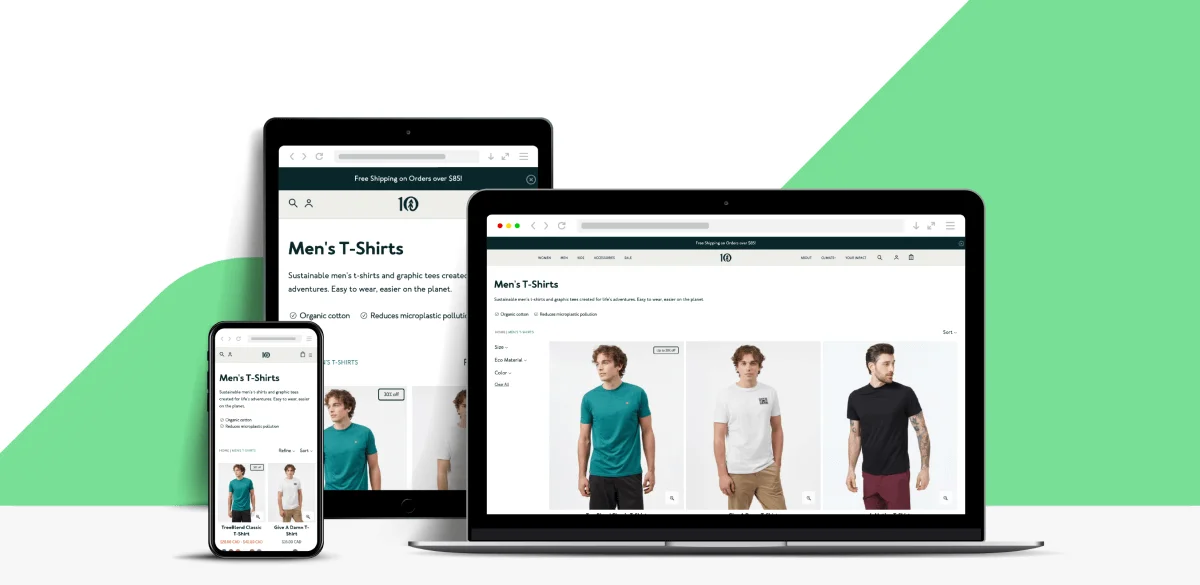
5 Steps to set up your online Shopify store
Shopify’s setup process is straightforward, even if you’re building your first online store. Follow the steps below to start selling on Shopify.
1. Sign up for a Shopify account
Go to the Shopify website, click Start free trial, and create an account.
During onboarding, Shopify will ask a few questions about your store and business goals. Use them to tailor the setup to your needs, or skip and head straight to your Shopify dashboard. This is where you manage everything, from orders and products to website settings.

2. Customize your store
Choose a theme from Shopify’s theme store and use the drag-and-drop editor to customize your layout, branding, fonts, and colors. For quicker results, create a custom website with the platform’s AI assistant, Shopify Magic.

Add key store pages like About, Contact, and FAQ, and organize your homepage to highlight new products, collections, or promotions. If crafting copy isn’t your thing, Shopify Magic can also help you draft page content.
Make sure the images you upload meet Shopify’s size and quality guidelines. Good visuals make your store easier to navigate and encourage shoppers to look through your products.
3. Add your products
You can add products manually or connect your Shopify store with Printify to automate inventory management and order fulfillment.
Here’s what the manual method looks like:
- Go to Products → Add product from your Shopify admin dashboard.
- Enter a clear product title and description that highlights key benefits.
- Upload high-quality images to showcase your product from different angles.
- Set your pricing and inventory levels for stock tracking.
- Add variants for options like size, color, or material.
- Assign categories and collections to improve store navigation.

4. Set up payments and checkout
You can start accepting customer payments with Shopify Payments. Here’s how to activate the built-in payment gateway:
- Go to Settings → Payments from the admin dashboard.
- Select Shopify Payments and connect your bank account.
- Enable additional payment methods if needed.
Once set up, customers can complete checkout using major payment methods, making it easier to process orders securely and efficiently.

Plus, Shopify integrates with popular third-party payment providers. Select See all other providers to view the available options.
5. Manage orders and inventory
Once your Shopify store is live, you can view and manage customer orders from the Orders section in your admin dashboard. This is also where you can edit orders, issue refunds, or cancel orders when needed.
To manage inventory:
- Go to Products → Inventory from the admin dashboard.
- Adjust stock levels manually or enable automated inventory tracking.
- Turn on low-stock alerts to avoid overselling.
How to scale your business with Shopify
Shopify grows with your store. Scaling usually means improving performance, automating tasks, and selling through more channels, all of which Shopify supports out of the box.
Using apps to scale
Shopify’s App Store makes it easy to add new features without custom development. Here are some popular apps to help sellers scale:
- Printify. Automates product creation, inventory, and fulfillment for print-on-demand stores, so you can grow your shop without managing stock.
- Discounty. Creates automated discounts, bulk pricing, and promotions to increase average order value.
- Canva Connect. Makes it easy to design product visuals and marketing assets and sync them directly to your store.
- Omnisend. Helps automate email and SMS campaigns, including abandoned cart reminders and customer follow-ups.
- Zapier. Connects Shopify with other tools to automate repetitive tasks like order tracking, reporting, and customer notifications.
- Outfy. Creates and posts social media content across popular social networks.
POS system for online and in-person sales
Shopify POS lets you integrate physical stores with online sales channels, so you can sell in physical locations while keeping inventory synced with your online store. Offer in-person customers access to your full online catalog, accept the same payment methods, and manage all sales from one dashboard.
The best part? This feature is included in all pricing plans, making cross-selling easier whenever you’re ready.
Start an online store with Shopify and Printify
If this is your first business venture, consider using our Print on Demand Shopify integration for easier fulfillment. This business model lets you sell custom products without upfront inventory or storage. Items are produced and shipped only after a customer places an order, keeping costs low and reducing risk.
With Printify, you get access to 1,300 custom products and a global network of Print Providers for faster delivery. The built-in Product Creator simplifies the design process, even for beginners.
Most importantly, Printify integrates seamlessly with multiple sales channels, including Shopify. Once connected, orders are sent for fulfillment automatically, so you can focus on marketing and growing your business instead of managing stock.
Here’s how to get started:
- Sign up for a free Printify account to access all the tools you need to sell custom products.
- Choose an item from our Catalog that fits your brand.
- Upload your own design or create one from scratch using the Product Creator.
- Connect Printify to your Shopify store, sync products from the dashboard, and fine-tune listings before publishing them online.
That’s it. When orders come in, Printify automatically handles production and shipping for you.
Shopify vs other eCommerce platforms
Choosing the right eCommerce platform depends on how you plan to sell, how much control you want, and how quickly you want to get started.
Here’s how the Shopify business model compares with similar cloud-based eCommerce platforms:
Platform | Ease of use | Pricing model | Transaction fees |
|---|---|---|---|
Shopify | Beginner-friendly | Monthly subscription | Yes, unless using Shopify Payments |
WooCommerce | Flexible but technical | Free core software, domain + hosting costs | No platform fees |
Wix | Beginner-friendly | Subscription-based | Vary by payment method |
Squarespace | Easy, design-focused | Subscription-based | Vary by plan and country |
Shopify vs WooCommerce
Selling on Shopify is easier for sellers with little to no technical skills or who don’t want to deal with backend technicalities. The main difference comes down to control versus simplicity.
Shopify’s platform is fully hosted, so you don’t need to manage hosting, security, or software updates. WooCommerce offers more flexibility and customization, but it means handling your own hosting and ongoing technical maintenance.
Shopify vs Wix
Wix is easier for quick setups and small online stores, especially if you want a simple website with basic selling features. Shopify is a more robust commerce platform, with stronger tools for inventory management, payments, and handling higher order volumes.
For businesses planning to grow, Shopify offers more room to scale.
Shopify vs Squarespace
Squarespace stands out for design and visual presentation, which makes it appealing to creatives and content-driven brands. Shopify, on the other hand, is designed mainly for online product sales.
If sales, integrations, and multichannel online selling are your top priorities, Shopify is the better fit.
Shopify explained – FAQ
Conclusion
Shopify makes it easy to start and grow an eCommerce business, even if you’re new to online selling. Once you understand how to use Shopify, you can build your own store, manage products, accept payments, and sell across multiple channels from one platform.
It’s a flexible solution for anyone looking to sell products online without getting stuck in technical details.
If you plan to sell custom products, pair Shopify with Printify. Create print-on-demand products without upfront inventory, and let us handle order fulfillment automatically.