Create custom designs that sell
You don’t need pro-level software or years of design experience to make your art look polished online. With the right beginner-friendly mockup generators for artists, you can create realistic mockups in minutes – even if AI tools still feel a little intimidating.
A good mockup generator does the heavy lifting for you, so your art can shine without the stress.
This post may contain affiliate links, which means we may earn a commission if you make a purchase through those links. This comes at no additional cost to you.
Why artists need simple online mockup generators
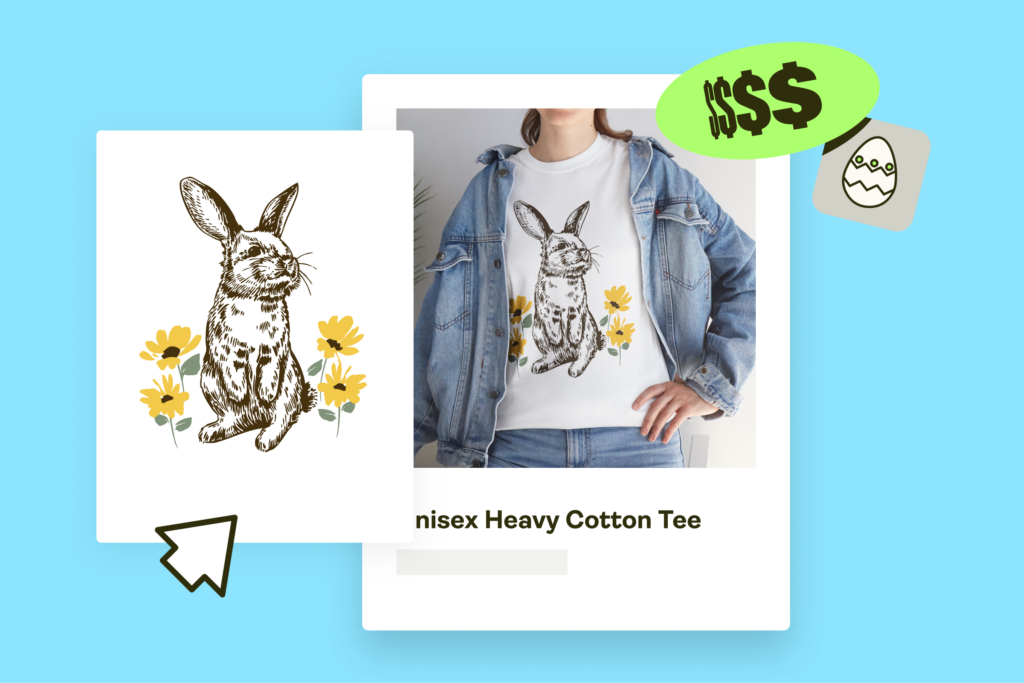
A mockup is a staged preview of your artwork placed on a product or within a scene. It displays your design in a realistic setting, and the tool blends your file into the mockup image using ready-made mockup templates.
The result looks like a photo – even though you never picked up a camera.
Why mockups make people trust your work
Buyers respond to clarity:
- When they see clean, professional mockups, they immediately understand what they’re getting.
- Artwork appears more polished when placed in beautiful mockups set in realistic environments.
Strong visuals make browsing easier andhelp with showcasing designs in a way that feels confident, cohesive, and worth the price.
Mockups help artists sell on every platform
- Realistic mockups support artists selling through Print on Demand, Etsy, or social media.
- They make your social media posts look polished and save store owners from spending extra time redesigning everything for each platform.
- Strong visuals elevate your marketing materials effortlessly.
- Good mockup scenes highlight your product visuals instantly – which matters when people scroll quickly and make decisions even faster.
Why beginner-friendly tools matter from day one
Most beginners don’t want long tutorials –they want something drag-and-drop that’s a fast and easy tool, without layers or settings.
A good online mockup generator removes the frustration of complex design software and the pressure to master old-school Photoshop skills.
A user-friendly workflow means you can focus on making art instead of troubleshooting.
What makes a mockup generator beginner-friendly?
Simple workflow
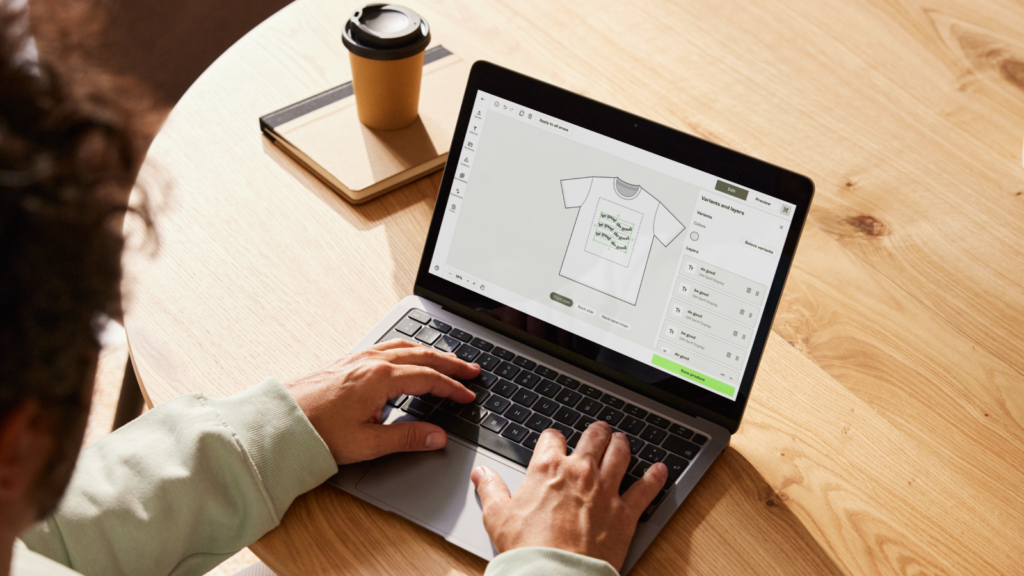
A beginner-friendly mockup generator keeps everything straightforward. You upload, place your design, and export – no guessing what each button does.
Easy-to-navigate interface
A good toolfeels calm and predictable. Controls are spaced clearly, tools respond fast, and nothing hides behind confusing menus.
Works entirely online
An online mockup generator skips installations and updates. You just open your browser and start creating – perfect for beginners who don’t want software maintenance slowing them down.
Clear and affordable access
Most new artists start with a free plan. It lets you test scenes, try product mockup ideas, and build confidence before upgrading. You can learn the workflow without financial pressure.
Useful templates
Customizable templates make placement effortless. Pick a frame or product, drop in your art, and move on. Templates eliminate the guesswork around sizing and alignment.
Helpful automation
Some platforms offer advanced features that automatically adjust shadows, lighting, or small design elements. These touches save time and help beginners get polished results faster.
Optional AI support
Artificial intelligence or AI-powered tools should make things easier. They can help generate scenes or refine mockup styles without forcing you to learn complex software.
8 Best beginner-friendly mockup generators for artists in 2026
These tools help beginners find mockups quickly and stay focused on creating art, not troubleshooting software. Whether you want lifestyle scenes, new mockups, or an AI mockup generator, these platforms keep the process simple.
Printify’s Product Creator
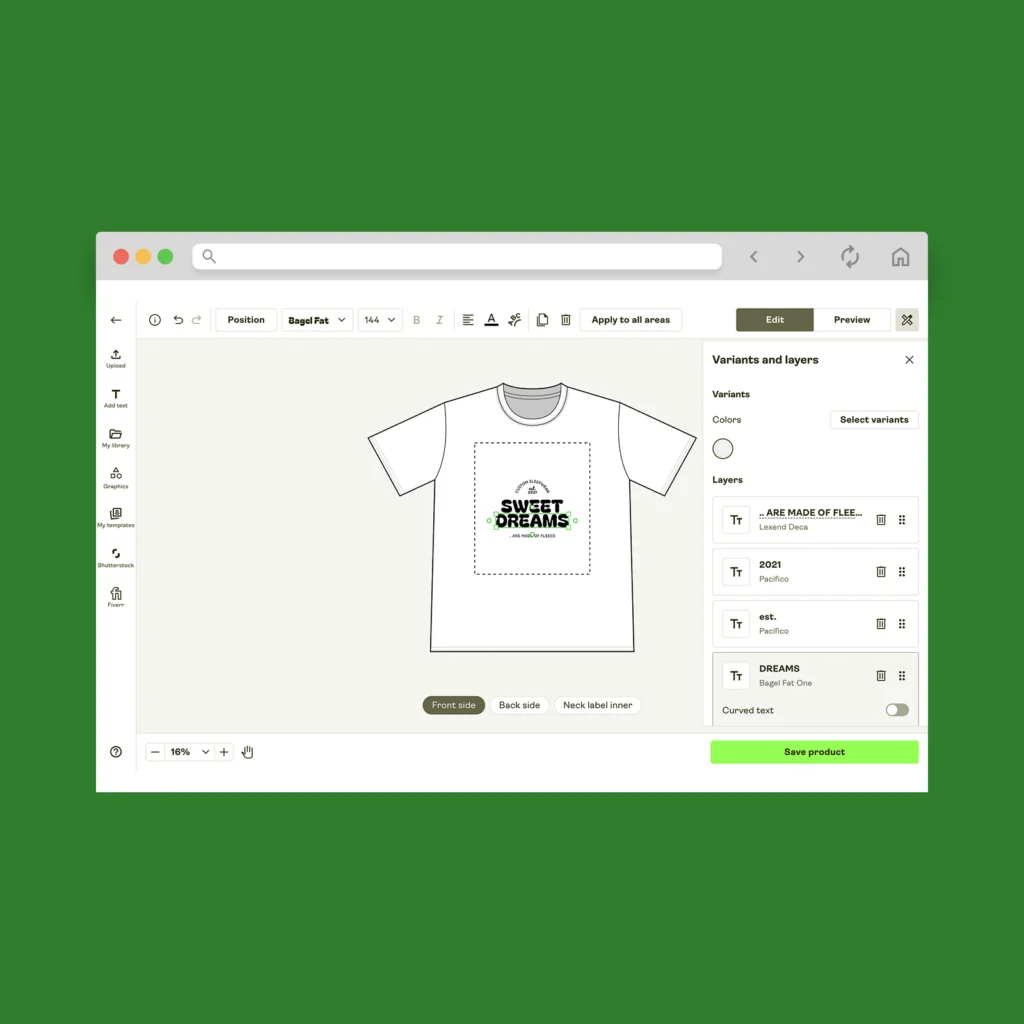
Printify’s Product Creator is your built-in design studio, made for artists who want fast, clean previews without juggling extra tools.
Key features
- Drag and drop editor for instant placement and resizing
- Built-in AI image generator for new artwork ideas
- Free graphics, fonts, and other design assets
- Ready-made mockup templates for apparel, wall art prints, mugs, stickers, and more
- Automatic, realistic mockups aligned to each product
- Works as an art mockup generator inside your print-on-demand workflow
- Exports free mockups you can reuse across stores and social media posts
Why it’s beginner-friendly
Everything lives in one place. You design, preview, and publish from the same dashboard.
AI-powered tools help with backgrounds or fresh concepts, and the interface keeps everything clear. It lowers the barrier, so users can move from idea to product in just a few clicks.
| Pros | Cons |
|---|---|
| Integrated with the Catalog and fulfillment | Scene variety is curated rather than endless |
| Includes AI tools, fonts, and a graphics library | Not built for heavy photo retouching |
| Acts as a free mockup generator for artists | Fewer ultra-niche lifestyle scenes |
| Strong defaults for consistent product mockups | |
| Best suited for Printify users |
Pricing
Free for all Printify users, including 15 AI-generated mockups per day.
Placeit
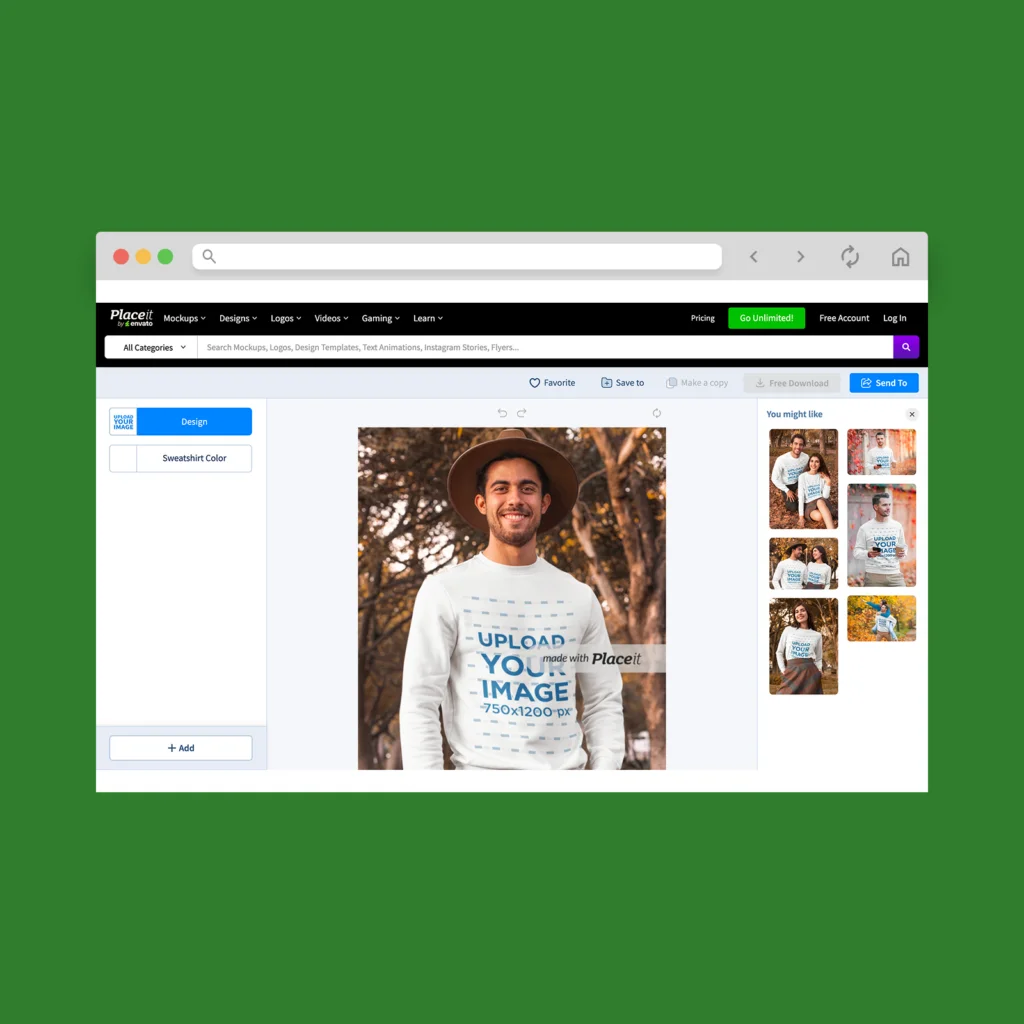
Placeit is best for product photos for apparel, posters, mugs, stickers, social-media previews, print-on-demand listings and branding materials.
Key features
- Massive library of mockup templates: apparel, home decor, prints, devices, packaging, and more
- Drag-and-drop editor with adjustable design placement, colors, and backgrounds
- Support for logos, social media graphics, even video or animated mockups
- Broad template collection for print-on-demand sellers, small businesses, artists offering wall art, apparel, or merch
Why it’s beginner-friendly
Placeit packs everything you need into one online tool. Upload your art, pick a scene, tweak size or color, and export.
Because of its huge template library and simple design controls, you don’t need to think about lighting, shadows, or sizing – Placeit handles that.
| Pros | Cons |
|---|---|
| Huge template library covering many product types | Unlimited export requires a subscription |
| Works for apparel, prints, mugs, merch | Free-tier templates are limited or watermarked |
| Logos, social-media graphics, videos | Popular scenes may feel generic – many sellers use the same mockups |
| Easy drag-and-drop, no technical skills needed | Some editing/customization options remain basic |
Pricing
Subscription starts from $7.47/month.
Canva Smart Mockups
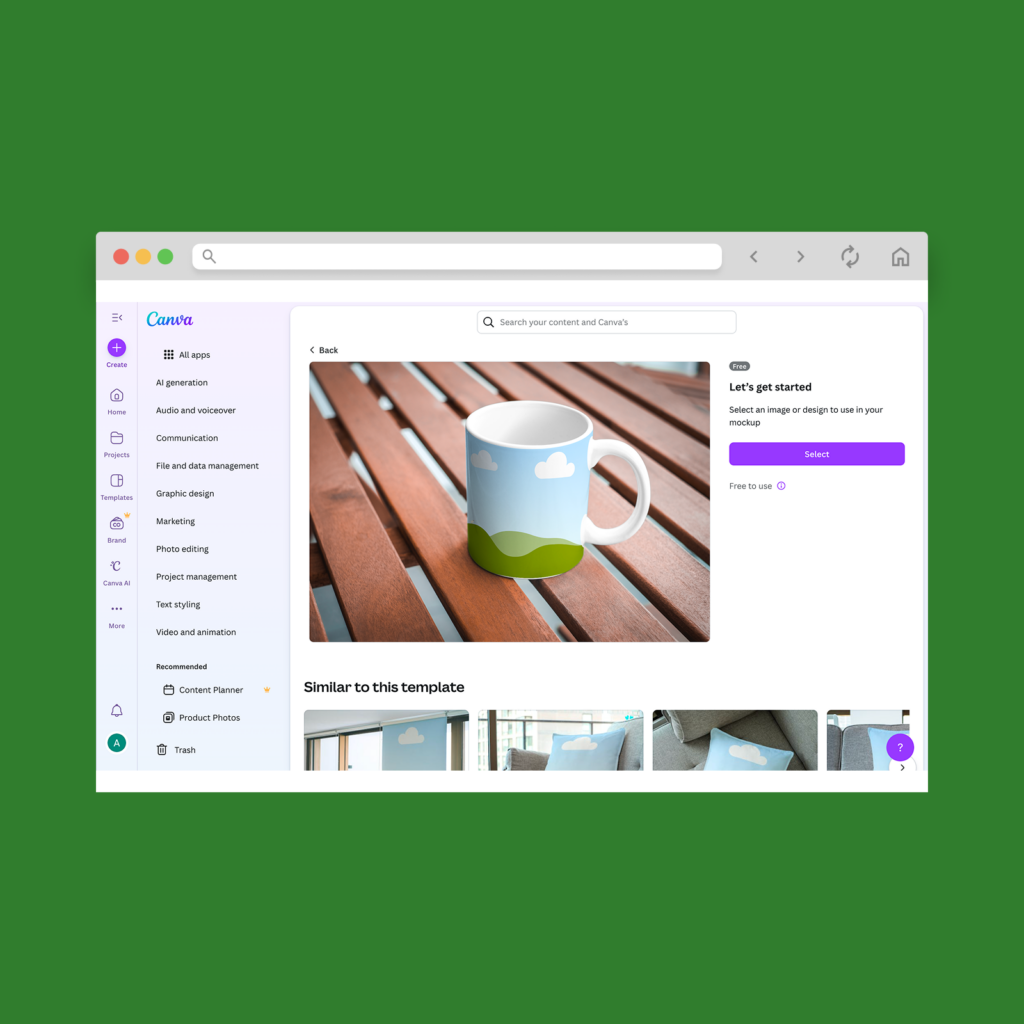
Canva Smart Mockups is ideal for artists who want a familiar workspace and a simple way to generate polished previews without leaving their design canvas.
It works well for apparel, stickers, prints, and social media content.
Key features
- Large library of mockup templates for posters, frames, clothing, tech devices, and packaging
- One-click placement using Canva’s mockup maker
- Built-in AI tools and filters for lighting and background cleanup
- Millions of graphics, text styles, and design elements
- Editable custom backgrounds for scene personalization
- Fast export options for storefronts and marketing materials
- Works inside Canva’s full online design tool, no installation required
Why it’s beginner-friendly
Most beginners already feel comfortable in Canva. Smart Mockups uses that same logic – upload, click, adjust, export. The tool blends your art automatically, so you don’t manage shadows or placement.
You never touch complex software or manual masking. Canva keeps everything visual and forgiving, producing clean, realistic product mockups with minimal effort.
| Pros | Cons |
|---|---|
| Familiar interface beginners already understand | Some mockups are less realistic than studio shots |
| Great for mixed media: art + text + layout | Best scenes locked behind Pro |
| Fast workflow inside one platform | Limited advanced editing control |
| Excellent for social graphics and product previews | Fewer niche lifestyle scenes than Placeit |
Pricing
Free plan available; premium mockups and assets come with Canva Pro and up.
Printful’s Design Maker
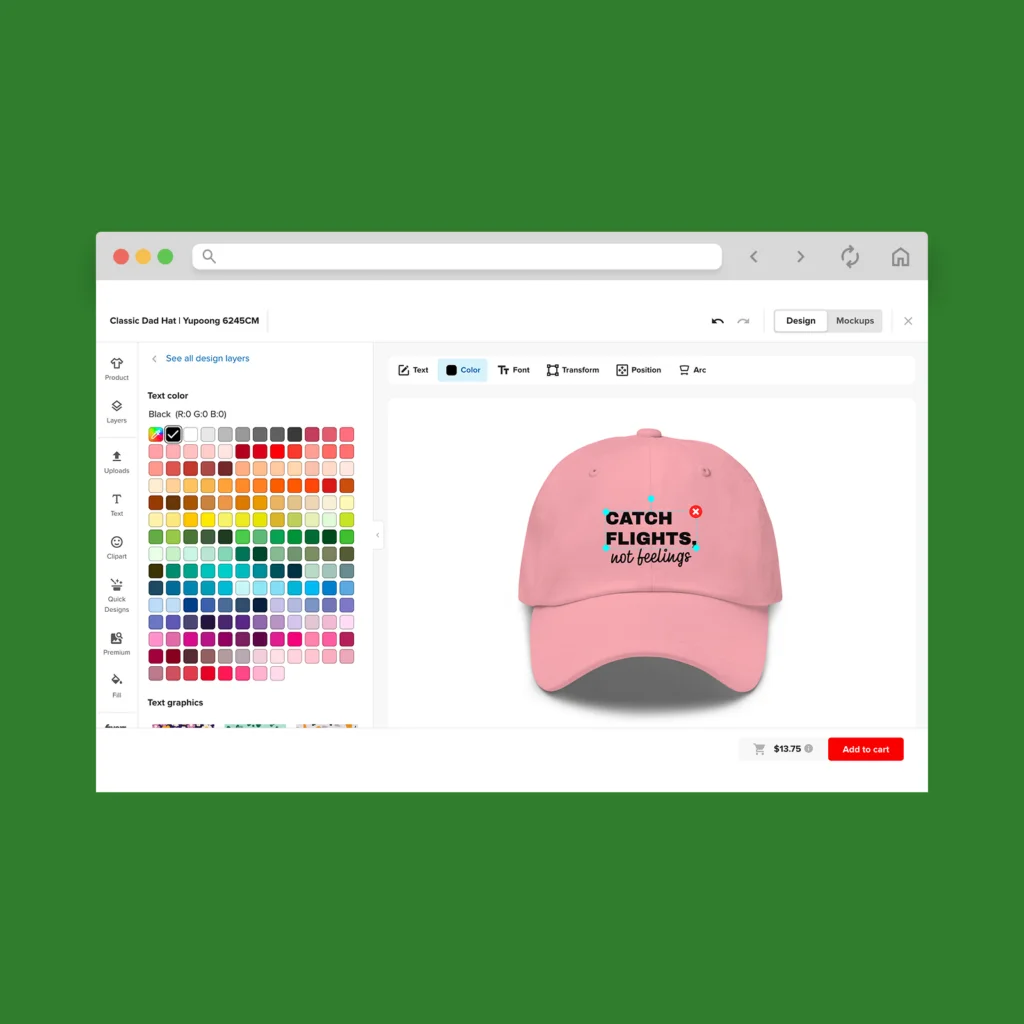
Printful’s Design Maker is the kind of tool beginners settle into instantly. It gives you clean, studio-quality previews without extra steps, plus enough creative features to shape your design before you turn it into a mockup.
Key features
- Large library of clean product shots
- Built-in tools to add text, graphics, clipart, and shapes
- 100M+ premium assets
- Background remover, filters, and color-adjustment tools
- One-click placement to create stunning mockups quickly
- Customizable templates
Why it’s beginner-friendly
Everything lives in one user-friendly dashboard – upload the artwork, pick a product, adjust, and export.
Automatic alignment and realistic lighting make your previews look trustworthy without manual editing. Beginners get predictable, studio-quality visuals in minutes.
| Pros | Cons |
|---|---|
| Clean, accurate product shots | Smaller lifestyle library than Placeit |
| Strong built-in editing features | Less flexible for complex compositions |
| Easy-to-use, predictable workflow | Not ideal for niche scene customization |
| Great for fast, uniform mockups |
Pricing
Free to use for all Printful users.
Kittl Mockup Generator
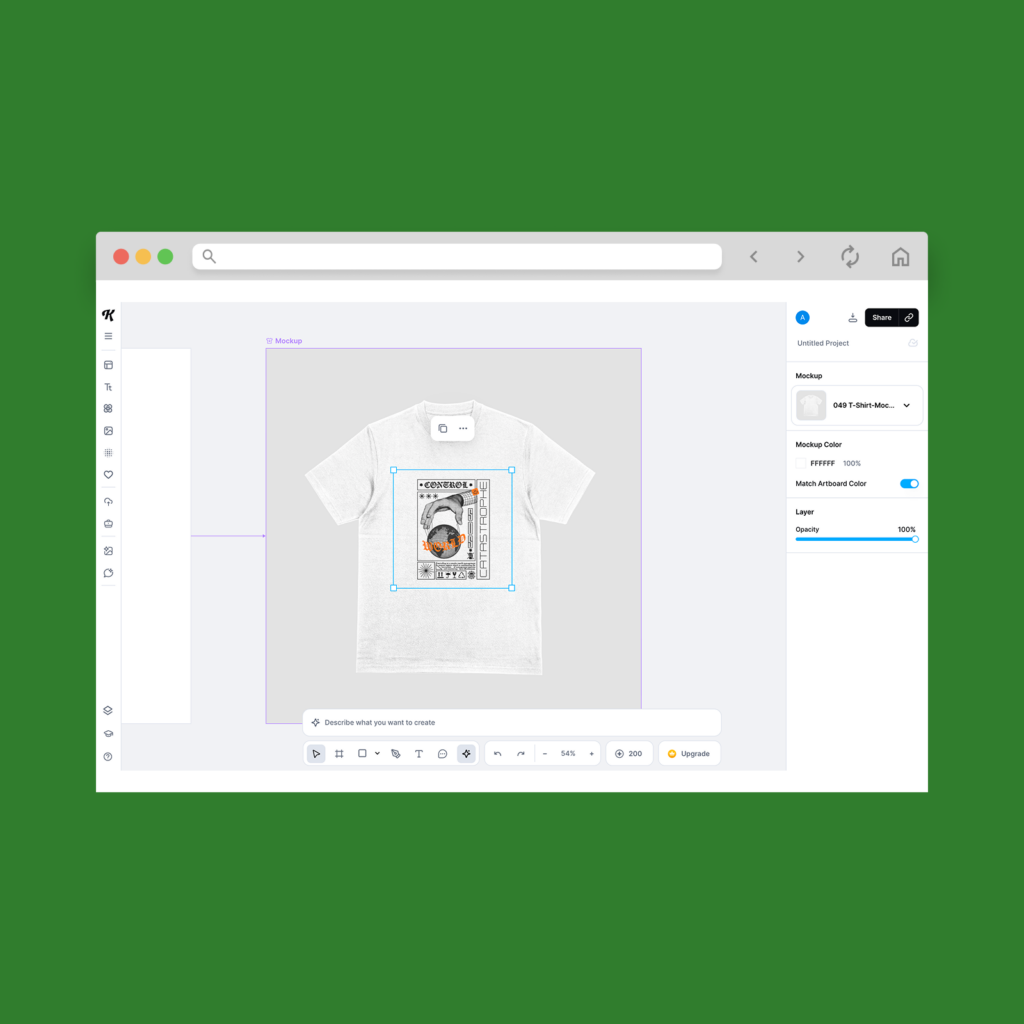
Kittl’s creative suite gives artists a powerful but simple way to create and visualize designs before turning them into polished mockups. It’s ideal for wall art, apparel, stickers, posters, and branded content for commercial projects.
Key features
- Full creative toolkit: AI image generation, background remover, refine tools, text effects
- Built-in mockups and customizable templates
- Vector editing and image editing in the same workspace
- Access to curated assets and an AI gallery
- Works as an online mockup generator with no installation required
Why it’s beginner-friendly
Kittl keeps everything in one canvas, so beginners don’t jump between apps. You choose a mockup, drop in your art, adjust colors or effects, and export.
| Pros | Cons |
|---|---|
| Powerful AI tools and editing features | Best assets and tools in higher tiers |
| Smooth, modern interface | Fewer product-specific scenes than Placeit |
| Great for branding + product previews | A learning curve if you explore advanced tools |
Pricing
Free tier available; paid plans (Pro and Expert) unlock advanced features, unlimited exports, and full asset access.
Mediamodifier
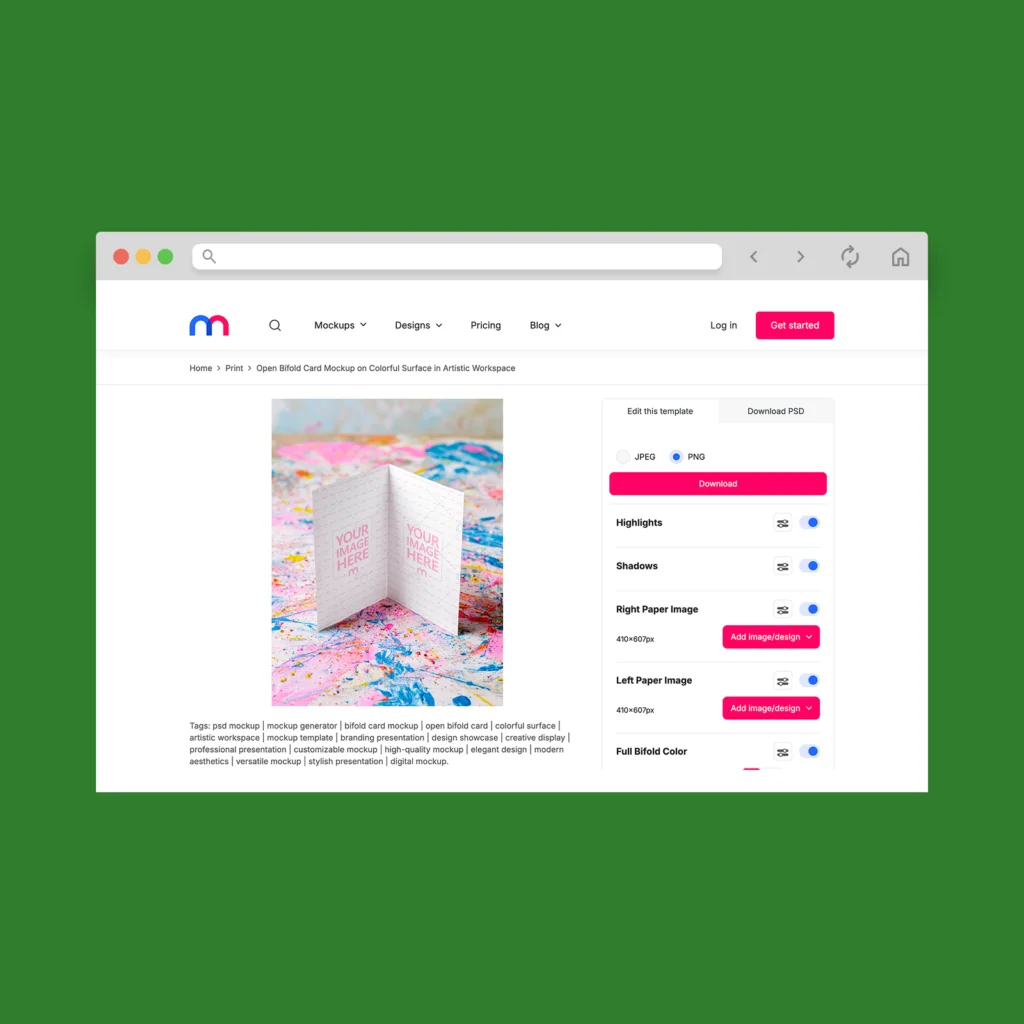
Mediamodifier is a simple tool for creating high-quality mockups across products, prints, devices, and branding materials. It works well for wall art, apparel, stickers, merch, and digital previews.
Key features
- 8,000+ mockup templates in the Professional tier
- Unlimited downloads on paid plans
- 1,300+ free Google fonts built in
- Unsplash and GIPHY integration for backgrounds and effects
- Store and organize designs with project folders
- Useful for teams with shared assets and a centralized brand kit
Why it’s beginner-friendly
The interface stays clean and approachable, allowing users to browse templates, upload artwork, and export visuals without complicated controls.
| Pros | Cons |
|---|---|
| Large and growing library of mockups | Best features locked behind paid tiers |
| Easy workflow for beginners | Fewer artistic or stylized scenes |
| Strong for branding and marketing visuals | Limited advanced editing options |
| Integrations (Unsplash, Giphy) add creative flexibility | Team plan costs rise per member |
Pricing
Starter is free. Professional and Team paid plans unlock full template access, unlimited downloads, and team tools.
Creative Fabrica
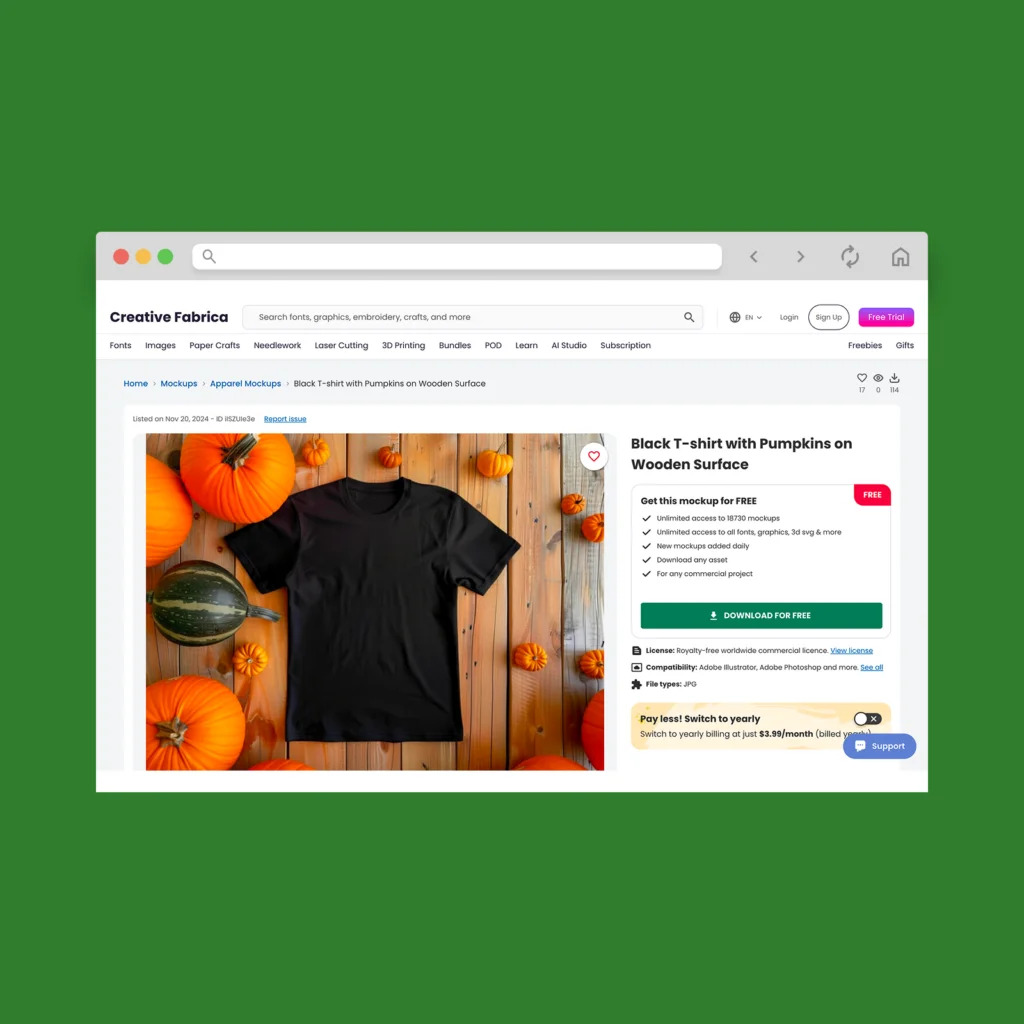
Creative Fabrica gives artists a huge creative library to work with, making it easy to turn designs into polished previews for wall art, apparel, stickers, and print-on-demand listings.
Key features
- Large selection of mockup templates across prints, apparel, and digital formats
- POD-ready graphics with clear licensing
- Easy one-click downloads for high-quality mockups
- Unlimited downloads on higher tiers
- Assets curated specifically for crafting, POD, and commercial use
Why it’s beginner-friendly
Creative Fabrica keeps things user-friendly. You browse, pick a template, add your artwork, and export. The huge asset library also helps beginners avoid starting from scratch.
| Pros | Cons |
|---|---|
| Massive creative library | Best features require paid options |
| POD-ready licensing built-in | Mockup tool is simpler than dedicated generators |
| Easy workflow for beginners | Some assets vary in style or quality |
| Unlimited downloads on All Access | Free tier is very limited |
Pricing
A free trial is available; the All Access subscription provides unlimited downloads and full Studio features.
Artboard Studio
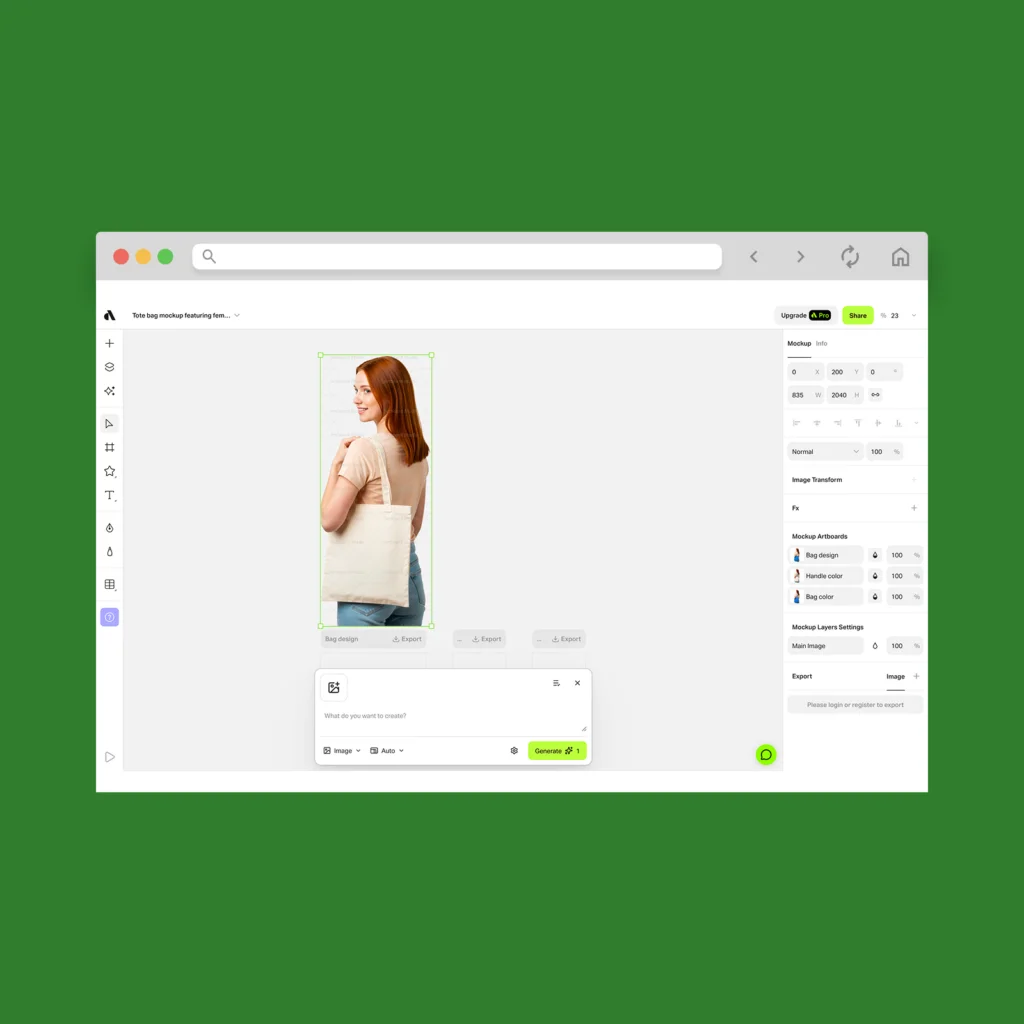
Artboard Studio gives you a sleek workspace for creating polished mockups, animations, branded visuals, and even data-driven variations.
Key features
- Large mockup library: books, posters, apparel, tech devices, packaging, lifestyle scenes
- Advanced editor for transforming and resizing artwork
- Background removal
- Animation timeline for motion graphics
- Optional AI mockup generator tools
- Integrations for Figma and Adobe Express
Why it’s beginner-friendly
The layout is clean, and the tools feel predictable, allowing users to build professional visuals without feeling overwhelmed.
| Pros | Cons |
|---|---|
| Strong editing controls and motion tools | Can feel heavier than other beginner tools |
| High-quality, modern scenes | Some features are locked behind paid plans |
| Great for case studies, branding, and product visuals | Steeper learning curve than Placeit or Canva |
| Works both as editor + mockup library | No print-on-demand integration |
Pricing
Generous free plan with basic mockups. Lite and Professional plans unlock full template access, animation tools, and commercial licensing.
Frequently asked questions
Yes. Several tools offer free tiers that allow commercial use, including Printify’s Product Creator, Artboard Studio, and Creative Fabrica’s limited-access options. They’re enough to create clean mockups for real storefronts.
Yes. Printify has a built-in AI mockup generator – the Product Creator. It’s free, beginner-friendly, and designed to produce professional results for POD listings without extra software.
Use the full print-size file at 300 DPI. This keeps your mockups sharp on large screens and prevents blurriness when customers zoom in.
No. Modern tools are made for beginners. You upload, adjust, and export. The software handles lighting, placement, and blending so your visuals still look polished and professional.
Make your art look its best
High-quality mockups help your work stand out anywhere you sell, and today’s tools make the process simple – even with AI mockup generation doing part of the lifting. The platforms in this guide give beginners an easy way to present art with confidence.
And if you want the fastest path from design to storefront, Printify’s free Product Creator keeps everything in one place. Strong visuals build trust. Good tools help you get there.