

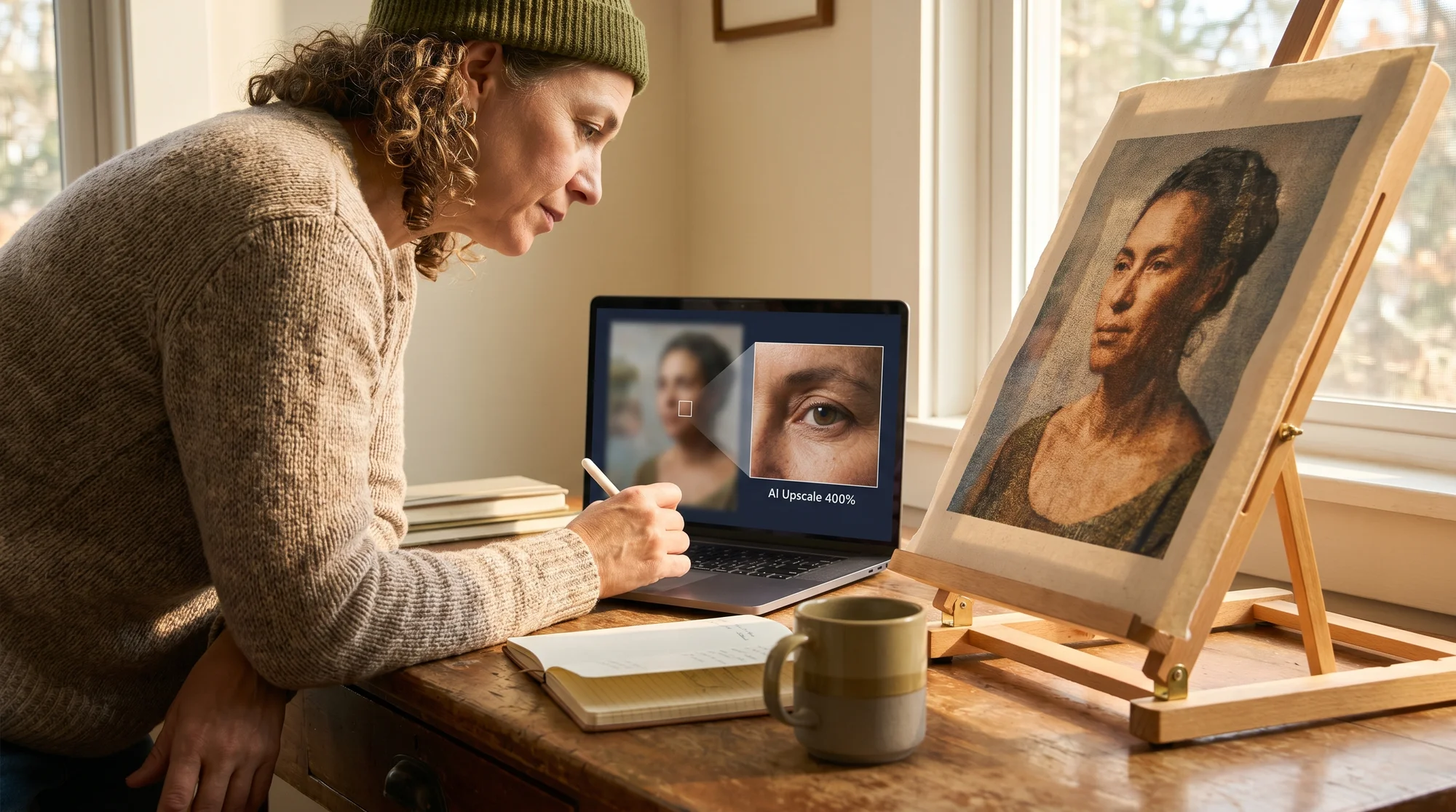
Low-resolution AI art compromises your premium aesthetic when printed. Master generative upscaling to transform digital visions into high-quality prints, ensuring every intricate detail shines on Printify. This guide shows you how to use neural upscalers, streamline your workflow with powerful batch processing, and meet Printify's high-resolution requirements.
Why standard AI art fails
The digital-to-physical divide
When AI-generated concepts emerge in resolutions too low for print, they compromise your premium aesthetic. This is a direct hit to the perceived quality of your art. You need to ensure your digital art translates perfectly to physical products, maintaining every brushstroke and nuance.
The problem lies in the differences between screen display and print. What looks adequate on a monitor often becomes pixelated when scaled for a physical product. Bridge this gap by starting with print-ready resolutions.
The cost of low resolution
Low resolution threatens your brand and profits. For artists specializing in custom portraits, pixelation and blur negatively impact customer satisfaction. If intricate details like hair strands or fabric textures are lost to a muddy mess, clients are unlikely to return.
The perceived quality of your product directly correlates to your earning potential. Low-quality prints cost you sales, referrals, and your reputation. Avoid this by prioritizing sharp, detailed output that builds customer trust.
Generative upscaling for fine detail
Generative vs basic scaling
Standard AI image generators often output files at resolutions too low for professional printing, leaving your unique designs looking less than stellar. For the 8,477 artists committed to their craft, relying on basic scaling methods like "Bicubic" is a mistake – it merely enlarges existing pixels, resulting in blurry, undefined images. This approach won't achieve the crispness your art deserves on tote bags, oversized back-prints, or anything in between.
Your solution is a high-resolution workflow that uses neural upscalers. These advanced tools multiply pixel density while actively re-imagining lost details. Generative AI upscalers, such as Magnific AI or Topaz Gigapixel, analyze your image and intelligently add realistic texture, fiber details, and sharp edges during enlargement. This ensures your designs remain exceptionally crisp and detailed, transforming your digital art into prints that demand attention.
Neural upscalers in action
These leading generative tools are game-changers for print artists. Magnific AI and Topaz Gigapixel use cutting-edge algorithms to do more than just enlarge; they intelligently reconstruct your images. For custom portraits, this means enhancing subtle details critical to realism and emotion.
Think about fine hair strands, intricate fabric textures, or the delicate brushstrokes that define your artistic style. Where basic upscaling would blur these elements, these neural upscalers actively fill in the missing information, re-imagining textures and sharpening edges to bring out stunning clarity. This process transforms a low-res source into a high-fidelity image, ready for any premium print-on-demand product.
Preserving your artistic nuance
The true power of advanced generative upscaling lies in its ability to enhance without distorting. Unlike older methods that could smooth over details or create artificial-looking results, tools like Magnific AI and Topaz Gigapixel are designed to maintain the original artistic style and emotional impact of your work.
They learn from your image, understanding its inherent characteristics and ensuring that the enlarged version remains true to your vision. This means your unique artistic voice is preserved and even amplified, rather than replaced by generic approximations. Your premium aesthetic remains intact, ensuring every print resonates with the authenticity your clients expect.
Crafting a high-resolution workflow
Streamlining with batch processing
As a business owner, your time is money, and efficiency unlocks profitability. For the 12,203 business owners seeking to scale their Printify operations, upscaling designs one by one is a massive drain on your time and resources. This inefficiency bottlenecks your production and limits your potential earnings.
Instead, streamline your process to reclaim your valuable time. Set up a workflow where every design uploaded to a designated pending folder is automatically upscaled to the optimal 4500 x 5400 px dimensions and color-corrected for CMYK. Use batch-processing features within advanced upscaling software or integrate with automation tools like Zapier to create a hands-free system. This boosts your productivity and ensures every design hitting your shop is print-ready, saving you manual effort and guaranteeing consistent quality.
The 4500 x 5400 px standard
To guarantee optimal Printify compatibility and stunning print quality across most products, precision is key. Manually adjusting dimensions for every design is time-consuming and prone to error, leading to inconsistent results and frustrating reprints.
You need to configure your upscaling tools to automatically output images at Printify's recommended 4500 x 5400 px dimensions. This standard ensures your designs fit perfectly on popular apparel items like t-shirts, delivering sharp, full-coverage prints without stretching or cropping issues. Refer to Printify's product guidelines for specific dimensions, then set your upscaler to match, ensuring every file is perfectly prepped before it even touches the Product Creator.
Pre-calibrating for CMYK
What you see on screen often isn't what you get in print. This color shift from RGB to CMYK can drastically alter your artwork, making vibrant digital designs appear dull or off-hue in physical form. For artists whose custom portraits rely on precise color representation, this is a non-negotiable step for maintaining a premium aesthetic.
Address this crucial difference during the upscaling or pre-press stage. Implement a workflow that includes color correction for CMYK, either within your upscaling software or a dedicated image editor. This proactive step helps predict and prevent color shifts, ensuring that the final printed product truly matches your artistic vision and meets your clients' high expectations for color accuracy and vibrancy.
Meeting Printify design demands
Decoding Printify's DPI requirements
Understanding Printify's Dots Per Inch (DPI) requirements is critical for ensuring optimal print quality. Uploading a file with insufficient DPI will result in blurry, pixelated prints that fail to meet your quality standards and disappoint your customers. Most Printify products require at least 150-300 DPI for sharp results, depending on the product and print area.
To meet Printify’s high-resolution requirements, always confirm your image’s DPI relative to its final print size. Don’t guess; verify. Use the Printify Product Creator to check your file's final print dimensions. This will give you the precise information you need to ensure your upscaled art meets the required quality threshold for each specific product.
Verifying final print dimensions
You've meticulously upscaled your art, but how do you know it’s truly print-ready for a specific product? Simply uploading and hoping for the best is a risky strategy. The Printify Product Creator is your best tool for this essential check.
- Upload your design: Once your high-resolution image is ready, upload it to the Printify Product Creator.
- Select your product: Choose the specific product you want to apply your design to from the Printify Catalog.
- Place your design: Position and resize your artwork in the Product Creator.
- Locate final print dimensions: Look for a section that displays the final print dimensions. This will show you the exact dimensions your design will occupy on the physical product, along with the effective DPI.
- Adjust if needed: If the DPI is too low, you’ll need to adjust your original upscaling or design size to achieve optimal quality. This proactive check saves you from costly reprints and ensures customer satisfaction.
Using the quality meter
The Printify Product Creator features a handy quality meter that provides instant feedback on your design's print readiness. If this meter isn't in the green zone, your print quality is at risk, potentially leading to pixelation or blurry results.
The green light indicates that your design meets Printify's recommended resolution for the chosen product and print area. Always aim for this optimal status. If the meter shows yellow or red, it's a clear signal that your image resolution is too low. Revisit your upscaled file, increase its resolution, or adjust its size in the Product Creator until the meter turns green. This simple visual cue ensures print-readiness without manual trial-and-error, boosting your confidence.
Maintaining your premium aesthetic
Post-upscale refinement and cleanup
Even the most advanced generative upscalers can occasionally leave behind minor AI artifacts or slight imperfections. Relying solely on the automated upscale might miss subtle nuances that define professional quality.
For the discerning artist, a final post-upscaling review is critical. Use image editing software to subtly clean up any minor pixel irregularities, sharpen specific details like eyes in a portrait, or enhance textures that could benefit from an extra touch. This extra step of manual refinement adds a polished, premium layer to your work, distinguishing your art from the competition.
Color profile management
Achieving true-to-screen colors in print is a hallmark of professional artistry, especially for custom portraits where color accuracy is paramount. Inconsistent color profiles lead to disappointing prints and frustrated customers.
Delve deeper into managing ICC profiles and color spaces. Work in a consistent color space and embed the correct ICC profiles in your final print files. This meticulous attention to color management minimizes unexpected shifts from your monitor to the printed product, guaranteeing that your art’s vibrancy and emotional impact translate perfectly.
The final review checklist
Before you hit Publish on your Printify product, a meticulous final review is non-negotiable for ensuring flawless prints. Overlooking flaws at this stage can lead to costly reprints, unhappy customers, and a damaged brand reputation.
- Zoom to 100%: Inspect every inch of your upscaled image at its actual print size.
- Look for artifacts: Scrutinize for any remaining AI artifacts, blurring, or jagged edges.
- Check color accuracy: Compare the CMYK preview to your original vision.
- Detail clarity: Ensure fine lines, textures, and critical details are crisp and well-defined.
- Crop and bleed: Verify your design fits within the print area with appropriate bleed if necessary.
- Test print (if possible): For high-volume or critical designs, a physical proof can save you significant trouble.
This rigorous review process safeguards your premium aesthetic and guarantees a flawless customer experience, enhancing your brand and customer trust.
Future-proofing your art business
Exploring emerging tools
The world of generative AI is evolving at lightning speed. To maintain your edge and continuously unlock new creative possibilities, staying updated on emerging tools and techniques is essential. New upscaling algorithms, AI-powered texture generators, and advanced editing suites are constantly being developed.
Regularly explore tech blogs, subscribe to AI art newsletters, and follow industry leaders on social media. Experiment with beta versions of new software and integrate promising innovations into your workflow. This commitment to continuous learning ensures you're always equipped with the latest tools to produce cutting-edge art for your Printify business.
Community and resources
You don't have to navigate the complex world of AI art and print on demand alone. Connecting with a community of fellow Printify innovators and advanced artists provides invaluable insights, shared workflows, and mutual support. Learning from others' experiences and challenges can accelerate your growth and solve problems faster.
Seek out online forums, Facebook groups, Discord channels, or local meetups dedicated to Printify sellers, AI artists, or print-on-demand entrepreneurs. Share your experiences, ask questions, and contribute your knowledge. This collaborative environment fosters innovation, helps you refine your techniques, and reinforces the community aspect of your Printify journey.
Elevate your Printify offerings today. Implement this high-resolution workflow using generative upscaling tools like Magnific AI or Topaz Gigapixel, and transform your stunning AI art into premium custom portraits that resonate with your clientele. Start verifying your final print dimensions in the Printify Product Creator now and witness your quality meter turn green, ensuring every print is a masterpiece.